Speed Cameras on Cell Phones: What is Allowed and What is Prohibited in Brazil
 Put Rodrigo Oliveira
There is a frequent confusion between two very different things: the radar detector device, which is prohibited in Brazil, and the Navigation app that warns about marked fixed speed cameras., which is permitted. The difference isn't a legal detail: it defines whether you're committing an infraction or simply using public information.
This article explains what traffic laws allow, where apps get the location data from devices, why proper configuration is about safety and not "avoiding fines," and how to configure your navigation app so that alerts actually help you drive better.
What is prohibited?
In Brazil, it is prohibited to drive with radar detection equipment—that is, devices installed on the dashboard that capture radar emissions and alert the driver, or that attempt to interfere with the measurement. This prohibition is stipulated in regulations from the National Traffic Council, and law enforcement treats the offense as an infraction, resulting in the impounding of the equipment.
The logic is straightforward: this device exists solely to allow the driver to accelerate again once they pass the measuring point. It provides no information about the road, does not improve driving, and has no purpose other than to evade enforcement.
What is allowed?
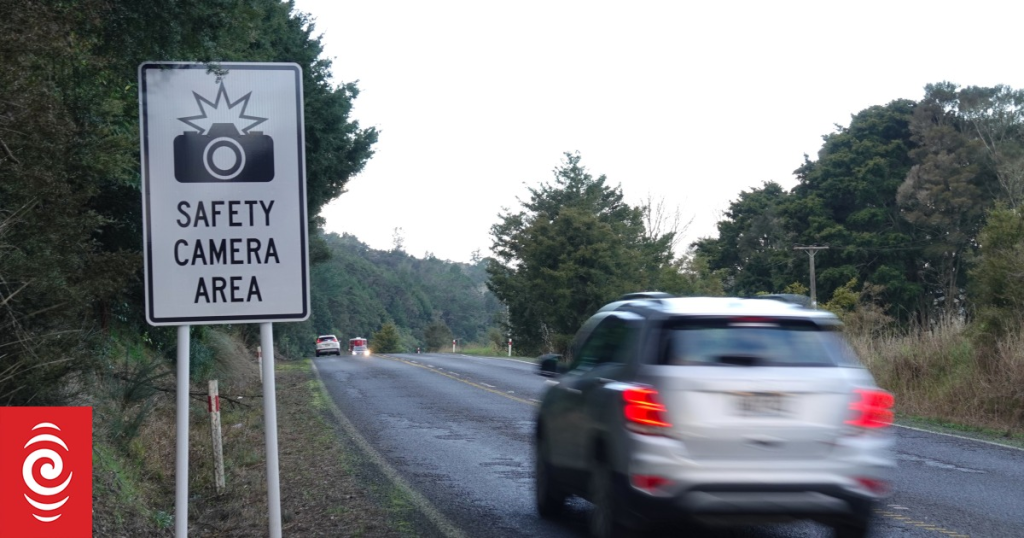
Navigation apps that show the location of fixed speed cameras are permitted because they work with public information. Fixed speed cameras must be clearly marked on the road: there is a sign indicating electronic speed enforcement before the device, precisely so that the driver can adjust their speed. The app only displays information on the screen that is already available at the roadside.
It's important to make a distinction: the app doesn't detect anything. It doesn't pick up radar emissions or see any equipment. It consults a database of coordinates and compares them to your GPS. Therefore, when a new radar is installed or an old one is removed, the app makes mistakes until the database is updated.
Where does the radar base come from?
There are two main sources. The first is the public records of traffic authorities, which disclose the location of electronic monitoring equipment on their roads. The second is the user community: the driver marks the location on the map, others confirm, and the point is entered into the database. It's the same mechanism that feeds alerts for accidents, potholes, and flooding.
This origin explains a common behavior: on busy highways the base is very good, and on secondary roads, it's poor. It also explains why mobile radar—the kind operated by an officer that changes location every day—never appears reliably.
Why "avoiding a fine" is the wrong framing.
Those who drive trying to guess where there are speed cameras end up doing the opposite of what safety requires: they brake abruptly near the equipment and accelerate immediately afterward. Sudden braking in traffic is one of the classic causes of rear-end collisions, and the stretch after the radar is precisely where the average speed starts to increase again.
The sensible use is different: maintaining a speed compatible with the road at all times, using the alert as confirmation that the limit has changed. Speeding fines are stipulated in article 218 of the Brazilian Traffic Code, in ranges — up to 20% above the limit, between 20% and 50%, and above 50%, the latter with the most severe penalty and suspension of the right to drive. No app protects against any of this; a compatible speed does.
Apps that do this job
Waze
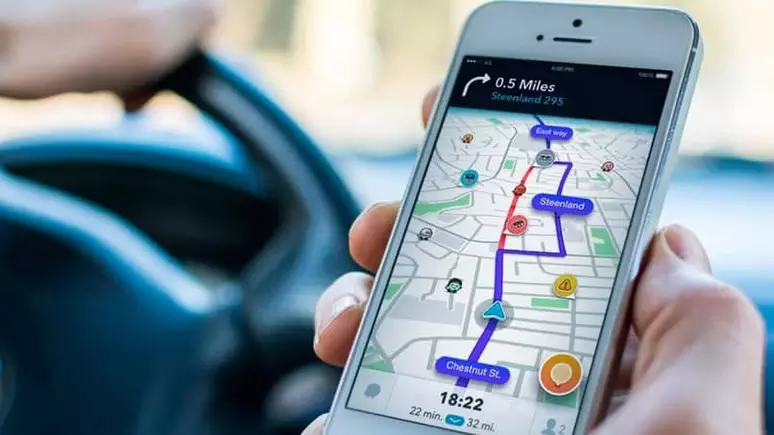
It is the most used in Brazil and has the densest community user base. It shows the speed limit, your current speed, and alerts you when approaching a mapped fixed speed camera. It also signals accidents, roadworks, and blocked sections of road. Information about the service is available at [website address - not provided in the original text]. official website. Free for Android and iOS.
Google Maps
It displays speed limits and speedometers on most Brazilian roads, and also indicates the location of speed cameras in covered areas. For those who already use Maps for daily navigation, it's the option that requires no additional installation.
Radarbot
Specialized in traffic enforcement alerts, with voice notifications and a mode that works alongside other browsers. It has a free version with ads and a subscription version without ads. Details at [link/website address]. developer website.
Sygic GPS Navigation & Maps
Navigator with offline maps, useful in areas with weak signal. Includes speed limit and police checkpoint warnings, with many advanced features available through a subscription. Official website: sygic.com.
TomTom Friend
Free, lightweight, and designed to run in the background, it displays speed and alerts without requiring you to navigate through it. It's a good choice for familiar routes where you don't need a specific route, just a speed limit reference. Information at [website address would go here]. TomTom website.
Be careful with your cell phone while driving.
One detail that negates all the benefits: using a phone while driving is a very serious offense under the Brazilian Traffic Code, resulting in a fine and points on your license — and it's also one of the biggest causes of distraction while driving. Set your route before leaving, use a holder fixed to the dashboard or windshield, activate voice prompts, and don't touch the screen while in motion.
If you need to report something on the app, pull over to a safe place. No alert can compensate for two seconds of taking your eyes off the road.
How radar measures and why tolerance exists.
Understanding the equipment changes the conversation from "avoiding a fine" to "driving at the right speed"—which is the correct approach.
Types in use in Brazil:
- Fixed radar, It is installed at a specific point, with mandatory signage at a certain distance. It is the only one that apps legitimately warn about, because its existence is public information.
- Electronic speed bump, which measures over a short distance and has a speed range indicated on the display.
- Static radar, mounted on a tripod or inside an inspection vehicle, operated by an agent.
- Mobile radar, in motion.
- Inspection by section, which calculates the average speed between two points — and braking against that speed when you see a speed camera is pointless.
Regarding tolerance: the legislation provides for a equipment margin of error, That's why the fine isn't applied exactly at the limit. This margin exists to protect the driver from measurement inaccuracies, not as a speed bonus—and relying on it is precisely the reasoning that the law doesn't endorse.
All equipment in use needs periodic calibration by a metrological body, ...and it is this requirement that upholds the validity of the infraction notice.
Why is the detector banned and the warning not?
The difference is what the device does. One detector Searching for the radar signal, or emitting a signal to disrupt the measurement — this interferes with the enforcement. This is prohibited, and the Brazilian Traffic Code considers it an infraction to drive a vehicle with equipment that interferes with the operation of enforcement devices, with penalties including the impounding of the device.
One fixed radar warning It doesn't act on anything: it consults a database of points that are already marked on the road, information that anyone can see when passing by. That's why commonly used navigation apps include this feature without any legal issues.
The border, in practice:
- Allowed: To warn that there is a fixed speed camera ahead and what the speed limit is.
- Allowed: It informs you of the speed limit and alerts you when you exceed it.
- Gray area: Collaborative mobile surveillance alert — it's not interference, but the stated purpose matters. An app that presents itself as a way to "escape" changes the interpretation.
- Prohibited: Any device that detects radar emissions or attempts to disable the measurement, and any tampering with the license plate to hinder reading, constitute a separate infraction.
Using the browser without committing another infraction
It's worth remembering the obvious, because it's the most common infraction of all: Using a cell phone while driving is a very serious offense., with a fine and points on your driver's license — regardless of what you were using it for.
- Fixed support on the dashboard or windshield., at eye level, without obstructing vision.
- Configure the route before leaving., with the vehicle stopped.
- Use voice commands And the driving mode, which reads the message aloud and responds by dictation.
- Integrate with the car's infotainment system., When available, this is the safest method because the navigation goes to the dashboard screen.
- If you need to move anything, stop in a safe place. A red light does not count as a safe location according to the law.
And one point that goes unnoticed: Audible alerts reduce the need to look at the screen.. Leaving voice alerts on and the volume at an audible level is the safest setting available for these apps.
Frequently Asked Questions
Is it legal to use Waze with radar alerts?
Yes. The app doesn't detect equipment; it shows known and marked locations, which is public information.
And what about the device that is installed on the dashboard?
This is a radar detector, which is prohibited. Driving with it constitutes an infraction and the equipment may be confiscated.
Does the app warn about mobile speed cameras?
In an unreliable way. Mobile radar changes position, and the warning depends on someone having marked it on the map at that moment.
If the app didn't notify me, is it possible to appeal the fine?
No. The responsibility for speed lies with the driver, and app malfunction is not a valid defense.
Conclusion
The rule is simple to remember: radar detection devices are prohibited; navigation apps that indicate the location of fixed speed cameras are allowed because they work with public data and do not interfere with law enforcement.
The best use of these apps isn't to avoid fines, but to know the speed limit at all times. Those who drive at the correct speed don't need to know where the speed camera is—and arrive safely, which is the point.
Read too
- Apps That Warn You About Speed Cameras: How to Use Them to Drive Safely
- Edit photos on your phone: the light and color adjustments that change the image.
- Clearing memory and speeding up your phone: what really works and what's a myth?
- More battery on your cell phone: how to find out what's draining your power.
- App to Recover Photos from Your Cell Phone: Questions and Answers
- Recovering Videos from Your Cell Phone: Where to Look Before Installing Anything