Agricultural Management Applications: What to Evaluate Before Adopting
 Put Rodrigo Oliveira
Swap spreadsheets and notebooks for a agricultural management application It's usually a good decision. But it's a decision that locks you into a tool for years, so it's worth comparing carefully before migrating your entire database.
This text doesn't predict a winner. It lists what to ask before choosing—including things that no sales page usually answers.
First: what problem do you want to solve?
The question seems obvious, yet it's the one most people skip. Field software is divided into families, and adopting the wrong family's software leads to abandonment within a few weeks.
- Flock: health, reproduction, weighings, movement.
- FarmingPlots, operations, inputs, cost per hectare, traceability.
- Financial and taxCash flow, accounts, producer's note.
- Field monitoringPests and diseases by sampling point, with map.
- Technical supportForage crops, fertilization, supplementation, climate.
Free tools from public institutions adequately cover the last family. Right Pasture, The project, a collaboration between Embrapa and Unipasto, catalogs tropical forage cultivars; Agritempo It provides agrometeorological information from the states; and the $upplementa Certo, The Embrapa Beef Cattle Institute supports supplementation decisions. These studies are free and come from an identifiable source, which is already a significant advantage in this category.
The points that determine adoption
The actual cost, not the price of the home screen.
Many systems are free up to a certain number of animals, plots, or hectares. Find out where the limit is before migrating. Also check if multi-user functionality, cloud synchronization, and report export are included in the basic plan or if they are charged separately.
Offline operation
Test in airplane mode. If the app doesn't register or calculate without internet, it's not suitable for most Brazilian properties.
Data portability
This is the most underestimated criterion. Confirm that everything can be exported to a spreadsheet or PDF. Systems shut down, change ownership, and alter plans—and those who can't take their data with them start from scratch.
Live maintenance
Check the date of the last update and the number of reviews in the store. Apps that have been stagnant for years often break in the next system version, and some in this category have too small a user base to even have a published rating.
Support in Portuguese
On the day the system crashes with the batch in the corral or with the harvest underway, human assistance is worth more than any feature on the list of functionalities.
Consistent permissions
Agricultural management requires storage, cameras, and sometimes location tracking. It doesn't need contacts, messages, or microphones.
What these apps don't do
- They don't weigh animals. Smartphones don't have a weight sensor. Estimates are made using tape measures, with an error of 5% to 10%, and there's a record of a weighing done on a scale. For sales, official weighing, and medication dosage, only a scale will suffice.
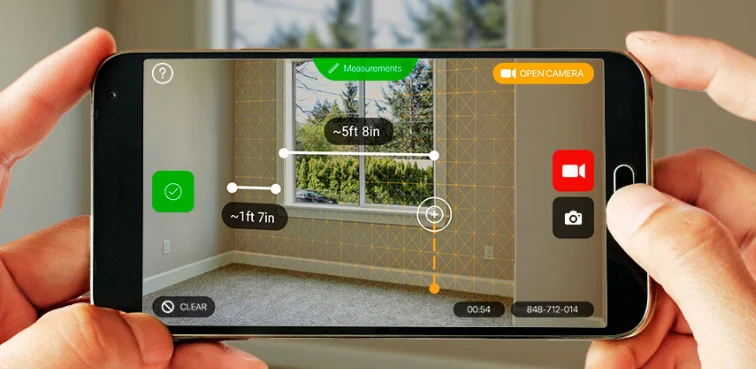
- They don't measure land with the precision required by documents. Measurements taken using GPS from a cell phone can have errors of several meters. Legally valid georeferencing requires a qualified professional to perform the service.
- They don't replace the coach. The system organizes the data; agronomists, veterinarians, and animal scientists interpret it.
- They don't generate data on their own. A report that is only partially updated produces a wrong decision disguised as an informed one.
Implementation roadmap
- Choose one module and ignore the rest for three months.
- Define who is responsible for the launch and the time of day it takes place.
- Conduct a pilot project with a small plot or section of land before migrating everything.
- At the end of the first month, compare what the system shows with what you know about reality.
- Only then expand to the other modules.
- Export the backup after each harvest and store it off-site.
Signs that the tool won't last.
- Last updated over two years ago.
- No information is available about who is developing the product or a contact address.
- There is no way to export the data.
- Internet access is required for basic registration operations.
- Permissions unrelated to the declared function.
- The store description is full of vague promises and doesn't explain how the calculation is done.
How these systems charge, and why that changes the choice.
The pricing model determines whether the tool grows with the property or becomes a problem later on.
- By animal or by breeding stock. Common in livestock farming. Inexpensive at the beginning, and grows along with the herd — which is fair, but needs to be included in the budget as a variable cost.
- By area. Common in agriculture. Predictable, and tends to weigh more heavily on large properties with simple management.
- Per user. It seems cheap until you realize that the cowboy, the agronomist, and the office all need to launch it. Ask how many accesses are included.
- Single license. Rare today, and demanding attention: without a monthly fee, who will pay for development and support next year?
- Free with a paid module. It works well when the paid module is one you won't use; it works poorly when the essential feature is right behind the barrier.
A question that avoids surprises: What happens to my data if I stop paying? Acceptable responses are "you continue querying in read-only mode" or "you export everything first." The unacceptable response is silence.
Imprisonment: the risk that only appears in the third year.
This is the criterion that separates a good choice from one that causes trouble later. Three years of herd records are worth more than any monthly fee — and it is precisely this collection of data that gets tied up.
Try this before before adopting, not afterwards:
- Request the complete export. Create a spreadsheet or CSV file while still in the testing period and open it. A PDF report is not a data export.
- Check if the export includes the event history., Not just the current registration. A registration without history is half useless.
- Check if there is an import option. From a spreadsheet. A system that doesn't import also doesn't let you switch to another one.
- Ask if there is a periodic copy. that you can keep yourself.
Export data per harvest or per year and store it outside the system. This is safe against supplier closure, price changes, and your own decision to switch suppliers.
Integration: where the real time savings appear.
- Scale and electronic ear tag reader. This integration saves the most effort: instead of typing each weight, the data is entered automatically. Confirm the compatible model before purchasing equipment.
- Accounting. Exporting in a format that your accountant accepts avoids having to re-enter data throughout the entire year.
- Official and traceability programs Required by the buyer or for certification. If the system already generates the file in the requested format, you save weeks.
- Climate and forecast, when management depends on an application window.
Beware of the word "integrated" in sales materials: ask with what, Specifically, ask to see it working with your equipment.
Third-party data and liability
A management system stores more than just animal information: it stores the name, tax identification number (CPF), and contact information of employees, buyers, and suppliers. This is personal data, and the responsibility for its processing lies with whoever operates the property—not the software provider.
In practice, three precautions solve almost everything: giving each person their own access, instead of a password shared by everyone; revoking the access of those who leave on the same day they leave; and checking the provider's policy on where the data is stored and for how long it is kept after the contract ends.
The device that will run the system
The system might be great and still not work on your property because it's run on the cell phone in the worker's pocket. Check before signing anything:
- Minimum operating system version. New apps stop supporting older versions of Android and iOS. If a team's device is two or three versions behind, they can install an app today and stop receiving updates in a few months.
- Free space. The app is small; what takes up memory are the incident photos, the downloaded plot maps, and the database that grows with each harvest.
- Autonomy. A full day in the field with GPS on and screen lit up in the sun doesn't end with any battery left. A car charger solves the problem cheaper than a new device.
- Screen and form. A lengthy registration process on a small screen, with dirty hands and the sun beating down, is where most typing errors occur. It's worth testing the actual form before deciding, not just the demo screen.
What happens when two people edit the same record?
This question is almost never asked, and it's the one that produces the worst kind of problem: data disappearing without anyone noticing. If two people are working offline and both modify the same animal or the same plot, something needs to happen during synchronization. The most common rule is the simplest: whoever synchronized last overwrites. The previous edit disappears without warning.
Add to that a trivial and treacherous detail: if a device's clock or time zone is wrong, events are entered in the wrong order, and the history begins to tell a story that never happened.
Three questions will resolve this: Does the system warn when there is a conflict, or does it decide on its own? Is there a record of who changed what and when? Is it possible to recover a previous version? Until there are answers, agree on responsibility by area — each person enters their own plot or field — and synchronize before leaving and upon returning from the field.
How long will this take per day?
The cost that undermines adoption isn't the monthly fee: it's the time spent by the person entering the data. And the problem is rarely the data entry itself, which takes seconds. It's the accumulation. A week without data entry turns into two hours of typing, and worse: the data is reconstructed from memory, with an approximate date, which erodes precisely the part that gives value to the system.
What works in practice is fitting the entry into an existing routine, rather than creating a new one. Recording the event while the animal is still restrained, or when closing the gate, requires less effort than sitting at night trying to remember it all day. Also, set aside fifteen minutes a week to review what was left unfinished—that's how you discover undated entries and transactions that were never closed.
And factor in seasonality: during harvest season, breeding season, or vaccination periods, the volume of new products doubles precisely when nobody has time. If the routine only works during the quiet months, it doesn't work at all.
What to ask during the demonstration
- Ask to see it with your details. A good example is always a good idea. Bring ten real animals or a whole plot of land and register them in front of the person presenting.
- Request the complete export right there., Open the file on your computer before continuing the conversation.
- Ask what happens when you exceed the free limit. Does it block new releases, hide reports, or delete something? These are three very different answers.
- Ask how many accesses are included. And how do you remove someone from your account?.
- Ask about support hours. Corral work and harvesting do not adhere to commercial hours.
- Ask how often updates are released. and where the changes are recorded.
- Ask for the name of a client similar to you. in size and activity, and talk to him without the salesperson on the line.
Frequently Asked Questions
Is it possible to start with just a spreadsheet?
Yes, and for small properties it's usually sufficient for quite some time. The spreadsheet sums, sorts, calculates differences between dates, and it's yours. The time to migrate arrives when more than one person needs to enter data at the same time or when the volume starts generating typing errors.
Do I need internet all the time?
It shouldn't. Registration and consultation must work without a signal, with synchronization afterward. Testing in airplane mode during the evaluation period is the test that fails the most candidates.
Does the system generate the report that the buyer or certification requires?
It depends, and a generic answer won't do. Find out the exact format required of you and ask if it comes ready-made, if it needs manual adjustment, or if it doesn't exist at all. Discovering this a year after launch is expensive.
Is it worthwhile to maintain two systems at the same time?
For a few weeks of transition, yes. For months, no: the two diverge, nobody knows which is right, and the team stops trusting either. Set a cutoff date and migrate.
Whose data am I throwing?
They belong to you, and that needs to be written into the terms, not just said in conversation. The practical proof is the export function working: if you can retrieve everything whenever you want, data ownership ceases to be a promise and becomes a verifiable fact.
Conclusion
Agricultural management applications deliver real gains when they solve a specific problem and receive data in a disciplined manner. Before adopting, test offline, confirm export capabilities, review maintenance, and find out where the free plan ends.
And keep expectations aligned: the software organizes and calculates. Weighing for sale remains on the scale, measurement with legal value remains with a qualified professional, and the technical interpretation remains with people.
Read too
- Rural Management Application: What It Solves and What It Demands of You
- Free Wi-Fi While Traveling: How to Prepare Before Leaving Home
- Recovering Videos from Your Cell Phone: Where to Look Before Installing Anything
- Memory cleaning: what to do before buying a new cell phone.
- Black Friday: How to Know if the Discount Is Real Before You Buy
- Project Management: The Best Apps and What Team They're For