Memory cleanup: when your slow phone isn't out of space
 Put Rodrigo Oliveira
Not all slow phones have full memory. It's common to find devices with 40 GB of free space that freeze when opening the camera, take a long time to switch between apps, and overheat for no apparent reason. In these cases, it's advisable to look for a... free memory cleaner app This won't solve the problem, because it lies elsewhere. This guide helps you make a diagnosis before choosing a remedy.
There are six common causes, each with a characteristic sign and its own solution — and none of them involve deleting temporary files.
1. Too many apps running in the background
Each app with active synchronization wakes the processor periodically to check for updates. Ten of them doing this all day long consume battery power and steal system resources. Settings > Battery, See the app's usage over the last 24 hours: the app that appears at the top without you having used it is the suspect. You can restrict background activity for each app on the app's own screen.
2. Outdated system
Updates bring performance and security fixes, and often resolve model-specific crashes. Check at Settings > Software update. If the device is no longer receiving updates, that in itself is important information about its life cycle.
3. Storage at the limit
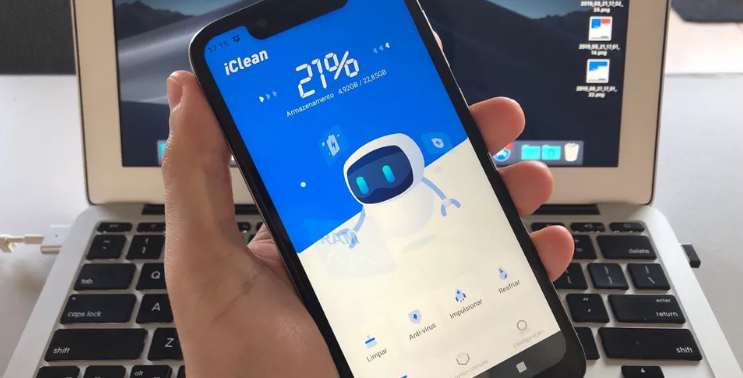
Here, cleaning helps, but for a different reason than you might think. The system needs free space to store temporary files and install updates. When that space runs out, everything slows down. The rule of thumb is to keep at least 10% of storage available—above that, deleting more files doesn't provide any additional speed gain.
4. A specific application is misbehaving.
Sometimes the slowdown starts after an update or a new installation. If you can remember approximately when the problem appeared, see what has changed since then. Force-stopping the suspected app and using the device for a few hours is a quick test. Clearing the cache of that specific app, or reinstalling it, usually solves the problem.
5. Worn-out battery
An old battery doesn't deliver the current the processor demands during peak usage. Some systems reduce performance to prevent sudden shutdowns. The classic sign is the phone shutting down on its own with half the battery or dropping from 40% to 5% in minutes. In this case, replacing the battery at an authorized service center solves the problem better than any app.
6. Overheating
When the device overheats, the system reduces the processor speed to protect the components. If the slowdown occurs when using the phone in the sun, while charging, or during long gaming sessions, that's the problem. Removing the case during heavy use and avoiding charging while playing games already helps.
A simple test to find the culprit.
When the causes are mixed up, safe mode separates everything. It loads the device only with the factory-installed applications, without anything you've installed. If the phone runs smoothly in this mode, the problem lies with some installed program, and from there it's a matter of uninstalling them in order of suspicion—starting with those that appeared around the time the slowness began.
If the behavior remains exactly the same in safe mode, the cause lies in the system, full storage, or hardware. In this case, the next step is to free up space and update; if the problem persists, a factory reset will indicate if it's still a software issue. A failure that survives a factory reset is a hardware problem, and then technical assistance is the solution.
Where do cleaning apps fit in?
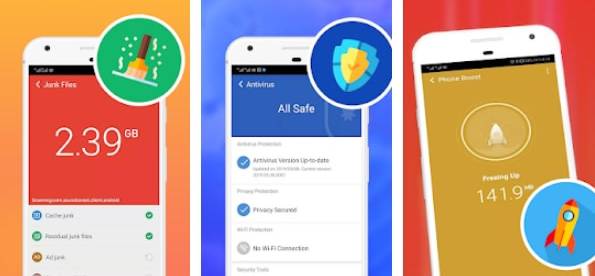
They do one thing well: finding large files, duplicates, and remnants of uninstalled applications, which addresses the third cause on the list. Files by Google He does this for free; the SD Maid 2/SE It's more thorough and shows everything before erasing; CCleaner It is AVG Cleaner They provide more detailed reports, with ads in the free version.
For the other five issues, they can't do anything about it. And the "speed up" button that almost all of them offer ends up being a hindrance: in the current Android system, the system intentionally keeps recent applications loaded so they reopen immediately, and automatically closes what is necessary when memory runs low. Forcefully closing everything forces the device to reload each application afterward—it wastes battery, delays notifications, and doesn't make anything faster.
How to measure instead of guessing
Before changing anything, it's worth collecting four numbers that the device itself provides. They pinpoint the cause in a few minutes and prevent you from messing with things that aren't the problem:
- Free space in storage. It's on the storage screen. A device running at its limit will naturally become slow.
- Battery health. On iPhones, there's a direct indication of maximum battery capacity; on Android, the battery information menu or usage history shows the behavior. Abrupt drops in charge and shutdowns at high percentages are clear signs.
- Date of last security update. A device that has been idle for a long time loses optimizations and fixes.
- App-based consumption Battery and data. An app at the top of that list that you don't use is the prime suspect.
With those four numbers in hand, the cause almost always becomes clear. Without them, all that's left is installing apps in the hope of getting it right — which is exactly what the "optimizers" category sells.
Temperature: the cause that nobody associates with slowness.
It's the most underestimated factor. Every cell phone reduces performance when it heats up, to protect the battery and components. This is protection, not a defect — but it produces exactly the feeling of an old device.
What heats up, in order of intensity:
- Charge and use at the same time., Especially with fast charging and open game mode.
- Direct sunlight, including on the car's dashboard and on the bicycle rack.
- Thick cover, which prevents heat dissipation through the casing.
- High-resolution long video, recording or watching.
- Poor cell phone signal, Because the radio increases the transmission power to reach the antenna.
Simple test: if the device noticeably speeds up after being idle and cold for a few minutes, the problem is thermal—and no app can fix that.
The specific application that is misbehaving.
It's the most common cause of all, and the easiest to find when you look in the right place:
- Check battery usage in the background., Not the total amount. An app that uses a lot of data while you're using it is normal; one that uses a lot of data while idle is not.
- Check your background data usage., following the same logic.
- Be wary of the latest release. If the slowdown started on an identifiable date, then whatever was installed around that date is the prime suspect.
- Use safe mode. To confirm: if the device responds well in safe mode, the cause is an installed application.
- Restrict instead of uninstalling., If you need the app, limiting background usage and revoking automatic startup usually solves the problem without losing functionality.
Frequently Asked Questions
Does restarting your phone every day help?
It doesn't need to be daily. Restarting closes frozen processes and clears working memory, which resolves occasional strange behaviors. Once a week is sufficient for most people, and it doesn't replace specific solutions for each cause of slowness.
Does a factory reset fix slow performance?
This solves the problem when it's due to accumulated software or corrupted configuration. It doesn't solve anything when the cause is a worn-out battery, overheating, or aging hardware. Since it requires a complete backup and reinstallation of everything, it's best left as a last resort, after exhausting all diagnostic options.
How can I tell if my battery is worn out?
Some devices display battery health in the settings. Where this information is not available, practical signs can be observed: sudden shutdown with remaining charge, a sharp drop in percentage, overheating during charging, and significantly less battery life than when the phone was new.
Do widgets and live wallpapers get in the way?
Yes, on devices with limited memory. Widgets that frequently update content and animated wallpapers continuously consume processing power. Simplifying the home screen is one of the easiest and most noticeable adjustments on entry-level phones.
Is it worth using apps that measure cell phone performance?
They provide a comparative number, useful for knowing where the device stands, but they don't pinpoint the specific cause of a slowdown. For everyday diagnostics, the native battery, storage, and app screens provide more actionable information.
Conclusion
Before installing yet another optimizer, run a diagnostic: check usage per application, verify system updates, see how much free space is left, remember when the slowdown started, and observe battery and temperature behavior. In most cases, the answer appears in these five places — and the solution is free, specific, and long-lasting, unlike the button that promises immediate results.
Read too
- Memory cleanup: forgotten folders that are consuming your space.
- Memory cleaning: what to do before buying a new cell phone.
- Memory cleanup: how to read the Android storage screen
- Clearing phone memory: what really takes up space?
- Memory cleanup: the difference between cache and application data
- Apps to clean memory: 5 options and what each one does.