Full memory: storage and RAM are not the same thing.
 Put Rodrigo Oliveira
Who is looking for a application without cost for memory cleaning It's almost always trying to solve one of two different problems: either the phone warns that there's no space to install anything, or it's lagging when switching apps. These are symptoms of distinct things—full storage and occupied RAM—and the marketing for this category of app treats them as if they were one and the same.
Separating the two concepts is what allows you to choose the right solution. One of them is resolved by deleting the file. The other, most of the time, doesn't need to be resolved by you.
Storage: the cell phone closet
Storage refers to the device's permanent space, the number that appears on the box: 64 GB, 128 GB, 256 GB. This is where the operating system, installed applications, your photos, videos, and downloads are stored. The content remains even when the phone is turned off.
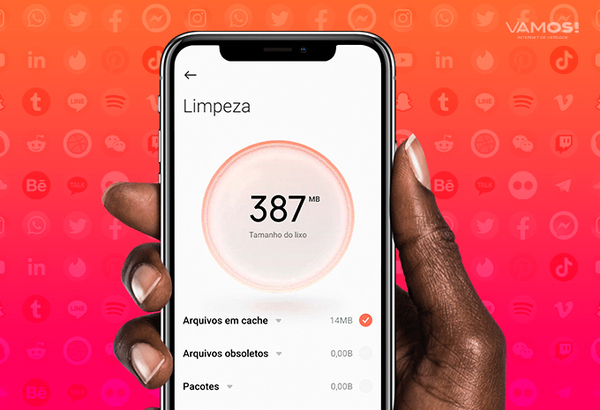
The symptoms of full storage are unmistakable: "unable to install," the camera refuses to record, WhatsApp stops downloading media, updates fail. This problem has a straightforward solution—deleting or moving files—and this is where a cleaning app really helps, finding what's large and what's duplicated.
RAM: the workbench
RAM memory is temporary. It stores what is currently in use and is completely emptied when the device is turned off. A cell phone can have 4 GB, 8 GB, or 12 GB of RAM, and this number has no relation whatsoever to the space for storing photos.
Here's the part that almost no cleaning app tells you: Seeing the RAM as "almost full" is the correct behavior.. Android intentionally keeps recently loaded apps running because empty memory doesn't speed things up, and already loaded apps reopen instantly. When the system needs space for a new task, it automatically terminates the oldest process without intervention.
Therefore, pressing the "free up RAM" button usually worsens the experience: the applications you use are forcibly closed and need to be reloaded from scratch the next time you open them, wasting processing power and battery. The apparent gain lasts only a few seconds, until the system reloads everything.
How do you know which of the two is your problem?
- It doesn't install apps, it doesn't record videos, and media doesn't download. It's storage. Go to Settings > Storage and attack the bigger categories.
- It freezes when switching apps, and the app reloads every time you go back. There is insufficient RAM for your needs. Reduce the number of apps open simultaneously and uninstall any that are running unnecessarily in the background.
- Slow at everything, even with plenty of space: It's usually an outdated system, a resource-intensive application with constant synchronization, or a device that's been in use for years. Restarting occasionally solves the problem more often than any scan.
- It overheats and the battery drains quickly. See usage by app at Settings > Battery. It's usually a specific app, not "dirty memory".
Free apps that really help.
If the diagnosis was storage, the Files by Google It's the simplest way: it lists large files, old chat media, and duplicates, all at no cost. Google Photos It allows you to remove from the device only the images that have already been copied to the cloud, which usually amounts to several gigabytes at once.
For those who want a more detailed scan, the SD Maid 2/SE It finds remnants of uninstalled applications and displays the list before deleting them. CCleaner, AVG Cleaner It is Avast Cleanup They serve a similar purpose, with ads in the free version. In all of them, use the storage section and ignore the speed-up button.
Signs that the app is not trustworthy.
Be wary of promises of percentage-based performance gains, or requests for... access to all files right on the first screen and, most importantly, when requesting accessibility permission, This gives the app the power to read everything that appears on the screen and simulate touches. No storage cleaner needs that. A large part of this category in the store survives by displaying ads between sweeps, and the broom icon is just a facade.
How to read a technical data sheet without getting confused.
The confusion starts with the device's own advertising. When you see "8 GB + 256 GB," the two numbers refer to different things: the first is... RAM, The first is where the apps are stored while running and which empties when the phone is turned off; the second is storage, This is where the system, applications, photos, and files are stored, and it remains in place when the device is turned off.
There is also a third number that appears in some models: Virtual RAM, Extended RAM, or “extended RAM,” isn't RAM—it's a slice of storage used as swap space when real memory runs out. It helps keep more applications open, but it's much slower than real RAM and consumes more resources. storage space. Adding the two together and advertising "12 GB of RAM" is marketing, not a specification.
How the system decides what to unload from RAM
Knowing this changes how you use your phone. When memory is low, the system doesn't choose randomly: it prioritizes the app that's currently in front of you, then the one playing music or recording something in the background, then the one you used recently, and downloads the app that's been inactive the longest first.
Two practical consequences:
- Seeing an app restart from scratch is normal behavior., It's not a defect. It means it has been discharged. to free up memory For what were you using it for?.
- Forcing everything to shut down is disruptive. You're removing from memory precisely the applications that the system had saved for quick opening — and it will need to reload each one, wasting battery and time.
An app that promises to "free up RAM" is actually performing this mass shutdown and calling it optimization. The number it displays afterward ("1.2 GB freed") is real; the benefit is not.
Diagnosis in three questions
To find out which of the two is your problem, without installing anything:
- Does an insufficient space message appear, or does the camera refuse to record? It's storage.
- Does the app you left open restart from scratch when you return to it? THEY WERE.
- Is it slow even with plenty of free space and only one app open? Probably neither — it could be an app starting on its own, an update in progress, overheating, or a device that has become too small for the current system version.
The three require different solutions, which is why the single "optimize" button doesn't solve the problem: it doesn't know which of the three you have.
What to do in each case
If it's storage: The order that frees up the most space is media first — photos and videos to the cloud or to your computer — then media received in conversations, then downloads from video services and offline maps, and only then applications that you don't open.
If it's RAM: There is no software solution that creates memory. What helps is reducing the number of applications allowed to start automatically, disabling factory-installed applications you don't use, and—on entry-level devices—preferring lightweight versions of the applications you use most often.
If it's neither of those: Check for pending updates, device temperature, and how many apps are running in the background.
Frequently Asked Questions
My phone has 8 GB of RAM. Why does it show as almost completely full?
Because that's how Android works. Free memory doesn't bring any benefit, so the system uses the space to keep recently used applications loaded. When a new demand arises, it releases the necessary space immediately. Occupied RAM is a sign of efficient use, not a problem.
Does increasing storage increase RAM?
No. They are different and independent components. Adding a 128 GB microSD card provides more space for photos and videos, but it doesn't change the device's ability to keep applications open simultaneously. Some phones offer a "virtual RAM" function, which reserves part of the storage as auxiliary memory—the gain exists, but it's modest, because storage is much slower than real RAM.
Does closing apps from the recent apps list help?
As a routine, no. Closing everything forces the system to reload each application from scratch the next time you open it, which consumes more battery than leaving them suspended. It only makes sense to close an app that has crashed or is clearly misbehaving.
How do I know how much space is actually left?
Use the storage display shown on the Android app itself, not the number displayed by a third-party application. It's worth remembering that part of the advertised capacity is never actually available: the operating system, factory applications, and formatting consume a fixed portion. On a 64 GB device, it's common for the user to have around 50 GB usable upon first power-up.
Conclusion
Full storage is a real problem, with a simple solution: find the large files and decide what to keep. Occupied RAM, in most cases, isn't a problem at all—it's Android functioning as designed. A free cleaning app is worthwhile for the first task and irrelevant for the second. Saving this difference saves space, battery, and the frustration of installing app after app hoping for results that never materialize.