Free and Legal Wi-Fi: What the Law Allows and What is Already a Crime
 Put Rodrigo Oliveira
It needs to be clear right from the start, because it's the point that decides everything that comes after: There is no legitimate app that provides access to any Wi-Fi network.. Entering someone else's network without the owner's authorization is not a clever app trick — it's an unauthorized computer device, classified under article 154-A of the Penal Code, as amended by Law 14.155/2021, and punishable by imprisonment from 1 to 4 years.
That being said, there's a lot of legitimate free internet out there, and there are good apps for finding it. They work differently: they show public hotspots, open trade networks It is passwords that the owners themselves published. This guide explains the difference, shows what the law allows, and indicates tools that remain available in the official store.
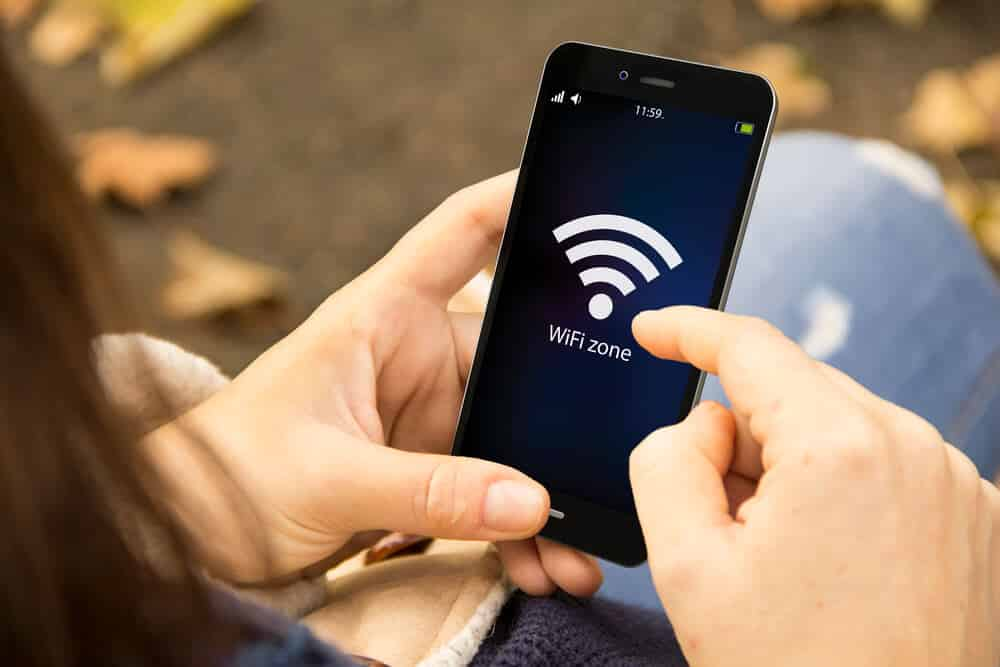
What does the law say about accessing someone else's network?
Article 154-A of the Penal Code punishes invading another person's computer device, whether or not connected to a computer network, with the purpose of obtaining, altering, or destroying data or information without the express or tacit authorization of the owner. The neighbor's router is a computer device, and his network is password-protected precisely because he did not authorize anyone to access it.
Furthermore, the Constitution, in article 5, item XII, protects the confidentiality of communications. Using another person's connection without permission is not just a matter of internet account: it's access to a private network, with everything that travels through it.
And it's worth noting a fact that speaks volumes: the category of apps that promised to "discover the password of any network" has been removed from official app stores over the last few years. Several of the most cited names in older lists now return an error page on Google Play — because they violated the store's own policies.
What is legitimate — and that's quite a lot.
Public hotspot. City halls, airports, transportation hubs, libraries, public squares, and universities offer open Wi-Fi as a service. It's free to use, and the only requirement is usually accepting terms on a welcome screen.
Open trade network. Cafes, restaurants, shopping malls, and hotels offer free Wi-Fi to customers. The password, when available, is posted on the counter or in the menu—the establishment wants you to use it.
Password shared by the owner. This is what sustains serious collaborative applications: the network owner, or the establishment itself, publishes the password in the app's database for other people to use. Nobody breaks anything — someone opened the door.
Apps that work this way
1. WiFi Map
It is the world's largest collaborative network database and is published on Google Play with a 4.3 rating and over 3 million reviews. It shows on a map the points registered by other users and by establishments, with the password when it was published by the responsible party.
It has an offline map, useful when traveling, and reviews that indicate whether a particular location is actually working. What it doesn't do—and this is important to mention—is discover the password for a private network. If no one has posted it, it won't appear. View on the Play Store.
2. Instabridge
It works on the same collaborative model and is one of the most used in its category: it has a 4.0 rating and over 4 million reviews on Google Play. It automatically connects to networks already registered in the database when you pass near them.
Automatic connection works for public networks and those whose password has been shared by the owner. There's no magic involved: the app only uses what someone has authorized to be published. View on the Play Store.
3. Opensignal
It's for measuring, not for connecting: it maps the quality of mobile and Wi-Fi signals in your area, performs speed tests, and shows where your carrier's coverage is best. Rated 4.5 and with over 440,000 reviews in the store.
It's the right tool to decide whether it's worth looking for Wi-Fi or if mobile data is sufficient in that location. View on the Play Store.
4. Google Maps
Underestimated for this purpose. The listings for cafes, restaurants, libraries, and hotels usually include information about free Wi-Fi among the services offered, and reviews from other visitors confirm whether it works well.
Rated 4.3 and with over 19 million reviews. Searching for "coffee with Wi-Fi" in your area solves most problems without installing anything else. View on the Play Store.
How to use public networks safely
An open network means that traffic can be observed by anyone on the same network. Two measures solve almost everything: confirm that the address in the browser starts with https, This encrypts the content between you and the website, and avoid installing any certificates that the network requests.
It's also worth disabling automatic connection to unknown networks in your Android settings, and being wary of networks with names almost identical to the establishment's – this is a classic scam technique where someone creates a fake network to intercept your activity. If in doubt, ask the counter for the exact name of the network.
What the network owner can see about who is connected.
It's worth reversing the question everyone asks. Instead of "what can I do on this network," think about "what can it see about me"—because the answer is bigger than it seems.
The administrator of an access point can see the list of connected devices, the physical address of each network card, the time of entry and exit, the traffic volume, and the domain names that their device has searched for. With the browser padlock active, the content The information on the pages becomes encrypted and illegible to him, but not to the destination: it's possible to know that you accessed a bank, even if it's not possible to know what you did there.
That's precisely why accessing someone else's network is a problem even when "nothing happens." The owner notices the strange device, and the record remains. On the other hand, that's also why it's worth turning off automatic connection on public networks: each silent reconnection leaves its trace in a place you don't even remember visiting.
“"The network was open" does not mean authorization.
This is the most repeated and weakest argument. A network without a password means the owner didn't set up security—not that they invited the entire neighborhood. The legal criterion isn't the existence of a lock, it's the... authorizationAccessing someone else's system without permission is what the law describes as intrusion, with or without security obstacles in place.
Here's a helpful comparison: an unlocked door doesn't turn your house into a public space. And, in practice, unauthorized use often happens on its own—your neighbor's internet gets slow, they open the router's control panel, see an unknown device, and things get ugly.
There's another consequence that no one anticipates: if something illegal is done through that connection, the investigation will first focus on whoever hired the service. You don't want to be on someone's network without their knowledge, and you don't want anyone on yours.
When you own the network: what is expected of you?
- Change the default router password. Not just the Wi-Fi settings: the device's administration settings, which often remain the factory defaults printed on a label.
- Use WPA2 or WPA3. Old standards are breakable and still appear on older routers.
- Connect the visitor network. It provides internet access without giving access to household devices — the printer, camera, TV, and computer remain out of reach of the person you invited.
- Turn off WPS. The quick pairing button is the most well-known weakness of home Wi-Fi.
- Check the list of connected users from time to time. Every router shows this; it's the most direct way to notice an unwanted visitor.
- Keep your firmware updated. Router issues are fixed by updates, and ISP routers often update automatically if you don't disable them.
Work, condominium, and neighbors: three situations that the law treats differently.
Node work, The network belongs to the company and its use is governed by internal policy. The company may log access and restrict websites, and this is usually stipulated in the contract or regulations—it's worth reading before using corporate Wi-Fi for personal matters.
Node condominium, There is a common area network, contracted and paid for by the building complex, and there is the neighbor's apartment network. The first is for the residents' use, within the rules defined by the building management. The second is private, even if the signal goes through the wall and appears on your list.
Node neighbor, The case is as simple as it gets: without an invitation, don't enter. And if he offers you the password, that's legitimate authorization — agree on limits, and preferably have him use the guest network, which protects his devices and leaves your conscience clear.
Sharing your password: the right way to say yes
Giving someone access isn't the problem; the problem is how. Dictating the password aloud in a crowded room, sticking it on a piece of paper on the wall, or sending it via a message that gets saved forever are habits that spread the key to your house.
The cleanest way is the sharing code that both mobile systems already generate from the connected network: the visitor points the camera and enters, without anyone typing anything. For frequent use, a guest network with its own password works better, because you can change that password without reconfiguring the entire house.
And the reverse is also true: if someone offers you access, accept it through the method they offer. Asking to "see the saved password" on their device is embarrassing and unnecessary.
The limits: where the law doesn't help and common sense needs to prevail.
- Verbal authorization leaves no trace. If permission was agreed upon and then forgotten, it's your word against his.
- A public network doesn't become private just because it has a password on the wall. The code written on the menu is an invitation to the customer, not a license to camp in the parking lot.
- Being within the law doesn't make you safe. A legitimate network, however poorly configured, remains an exposed network.
- Consent is not permanent. The person who authorized it can revoke it whenever they want, and remaining connected after that changes the legal framework.
- No rule protects against carelessness. Most data breaches on public networks begin with repeated passwords, not sophisticated hacking.
Questions that arise when the subject is the law.
Is it illegal to use a store's open network without buying anything?
It's not a crime, but it's conditional use: the establishment defines the rules of the service it offers and may limit time, speed, or require registration. It's a courtesy with conditions, and it's up to the establishment to set them.
I discovered that someone is using my network. What should I do first?
Change the Wi-Fi password and the router's administration password, in that order, and reconnect your devices. Then activate the guest network for those who need occasional access.
Can I be held responsible for what another person does on my network?
The investigation starts with whoever contracted the internet connection, and you're the one who will have to clarify things. That's why having an open network at home is a bad idea, even when the intention is generous.
Is it safe to use a work computer on a public network?
Prefer routing through your own data plan and the remote access tool provided by the company. A corporate machine on an open network is the scenario that security departments try hardest to avoid.
Are there any situations in which "cracking" a password is allowed?
Yes, only one: your own network, with authorization from whoever administers it, in a contracted security test. Outside of that, there is no legitimate use—and no mobile app does that, contrary to what the advertising suggests.
Conclusion
An app that promises access to any Wi-Fi network is actually committing a crime — unauthorized access to a computer system, article 154-A of the Penal Code, punishable by imprisonment from 1 to 4 years. It's no coincidence that this entire category has been disappearing from official app stores.
What actually works is simpler and more practical: public hotspot maps like WiFi Map and Instabridge, signal strength testing with Opensignal, and searching for establishments with Wi-Fi on Google Maps. Install from the official store, use HTTPS, and don't connect to networks with suspicious names. It's less glamorous than promised—and it works.
Read too
- Public Wi-Fi: 5 Apps to Find Open Networks Anywhere
- Slow Wi-Fi at Home: How to Diagnose and Where to Find a Network Outside the Home
- Free Wi-Fi Apps: Why Does the Network Appear But Not Connect?
- Free Wi-Fi: How to Find a Public Network and Browse Safely
- Free Shipping Coupon: The Rules That Actually Enable Delivery
- Free Apps for Weighing Cattle: What's Free and What's Not