Increase the volume on your phone: the limit is the speaker, not the app.
 Put Rodrigo Oliveira
When the sound from your cell phone isn't enough to fill a noisy environment, the first thought is to look for a... app to increase cell phone volume. Before installing, it's worth understanding where the limit lies: it belongs to speaker, It's not the software that's responsible for the signal, and amplifying it beyond what the component can handle doesn't produce louder, cleaner sound—it produces distortion, and prolonged use can damage the speaker.
This guide explains what these apps actually do, what you can gain without ruining anything, when the limit is legal and not technical, and which solutions truly solve the volume problem.
Why does a ceiling exist?
A cell phone speaker is tiny and moves very little air. The manufacturer calibrates the maximum volume with a margin that prevents audible distortion and protects the component from the heat generated by the electrical power. When an app "amplifies" beyond this, it increases the gain of the digital signal, and the typical result is a hissing, flat sound with bass pops—louder, but worse.
With continued use at high volume, excessive volume can deform the speaker membrane and cause permanent hissing. This is physical damage, and there is no application that can undo it.
There is a legal limit for headphones.
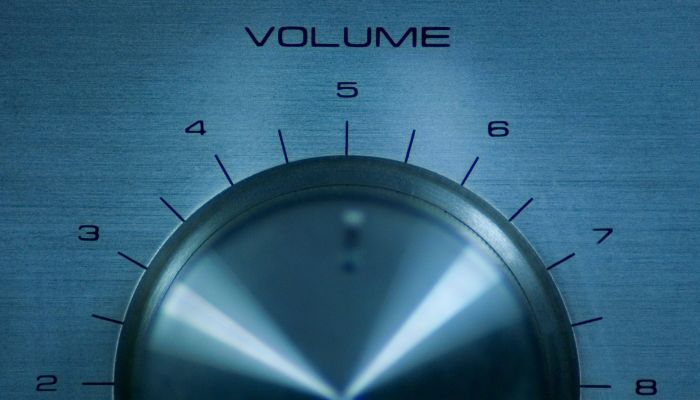
If your cell phone displays a warning when you exceed a certain level with headphones connected, it is following a standard. In the European Union, there is a regulatory sound pressure limit for personal audio devices, adopted to reduce noise-induced hearing loss; due to manufacturing standardization, devices sold in other regions usually exhibit the same behavior.
This warning is not an obstacle to be bypassed. Prolonged exposure to high volume in headphones causes cumulative and irreversible hearing loss. Apps that claim to remove this limit are, in practice, presenting a health risk as if it were a feature.
What can be improved without forcing anything?
- Equalization. Emphasizing the mid-range frequencies, where the human voice resides, makes dialogues and podcasts much more intelligible without increasing the overall volume. It's the best-return adjustment.
- Volume normalization. Several music and video apps have the option to equalize the level between tracks, preventing some from sounding much quieter than others.
- Cleaning the sound output. Dust and lint accumulated in the speaker grille can cause significant muffling. A soft, dry brush will solve the problem; avoid sharp objects and liquids.
- Device position. Clearing the speaker with your hand or placing your phone on a hard, concave surface, such as a bowl, noticeably increases the perceived volume at no cost.
- Remove the cover. Many covers partially obscure the sound output.
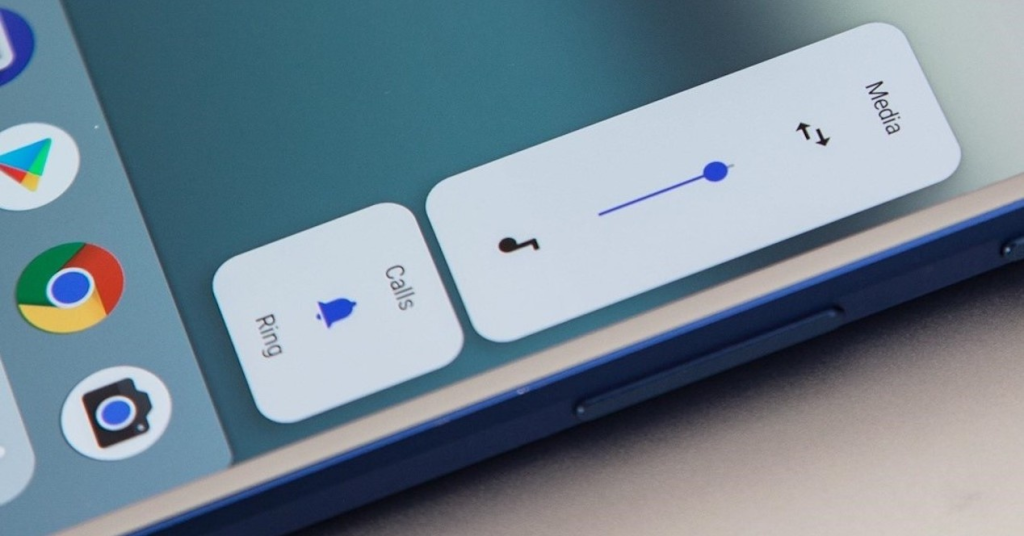
- Check the separate volumes. Android controls media, calls, alarms, and notifications independently; sometimes the problem is that only one of them is down.
Regarding amplification applications
Those who offer equalizer They are useful and safe: they shape the sound within the component's capabilities, improving clarity and intelligibility. Those that only offer a "boost" slider beyond the maximum are to be avoided, as they deliver distortion with a risk of damage.
It's important to know that the availability of these tools in the store changes frequently: popular apps in this category have been removed for various reasons. Before installing any, confirm that it is indeed on the Play Store, check the date of the last update, and read the permissions requested. An equalizer needs access to audio; it doesn't need contacts, location, or anything else. accessibility service, which allows you to read everything that appears on the screen and simulate touches.
How to adjust the equalizer in practice.
Many devices already come with a built-in equalizer, usually in Settings > Sound Or within the music app. Start with the presets: “voice” or “speech” for podcasts and videos with dialogue, “rock” or “powerful” for music with drums, “classical” for acoustic recordings. If you prefer to adjust manually, slightly raise the center track, where the vocals are, and avoid overdoing the bass—it’s the excess bass that saturates a small speaker first.
When using headphones, the settings change. Headphones reproduce bass much more easily than the phone's speaker, so a curve that sounds good on one sounds muffled on the other. It's worth keeping different profiles for each situation, a feature that most equalizers offer.
Finally, test with the material you actually consume. A setting that impresses on a demo track might sound worse on podcasts and video calls. The useful criterion is simple: can you understand the words effortlessly and without needing to increase the volume?
The solution that truly works.
If real volume is what you need, hardware is the answer. A portable speaker connected via Bluetooth delivers a difference that no software adjustment can achieve, because it has a larger speaker, acoustic enclosure, and dedicated amplifier. For personal use, closed-back or in-ear headphones isolate external noise and allow you to hear well at moderate volume—protecting your hearing instead of putting more strain on it.
Perceived volume is not measured volume.
Part of the sensation of "low volume" has nothing to do with power, but rather with how the human ear works. It is much less sensitive to bass at low volumes—that's why the same music sounds "lifeless" at low volumes and "full" at high volumes.
This explains two common phenomena:
- Slightly boost the bass and treble on the equalizer. It makes the sound seem louder without increasing the power. It's the effect that "amplification" applications use most often, and it's legitimate — within the limit where it doesn't distort.
- Speech audio seems quieter than music. At the same volume, because the voice occupies a narrow frequency range and has less overall energy. Reinforcing the mid-range frequencies is more effective than increasing the volume.
There is also volume normalization, This feature, present in music streaming services and some devices, levels different recording tracks, preventing surprises between songs—and sometimes explaining why a specific track sounds quieter than you expected.
What really takes up space in everyday life?
- Dust and lint on the speaker grille. It's the number one cause of gradual volume loss, and the easiest to solve: a soft, dry brush, without a toothpick or compressed air pointed inwards.
- A cover over the sound output. Many speaker covers deflect or muffle the speaker, and the difference is significant.
- The hand covering the exit. when holding the device horizontally to watch a video.
- Support your cell phone on a cloth or cushion., which absorbs sound. On a hard surface, the perceived volume increases considerably.
- Water in the speaker. After coming into contact with water, the sound becomes muffled until it dries completely — and forcing the volume in this state is what causes damage.
- Volume separated by channel. Media, calls, alarms, and notifications have independent controls; it's common for one of them to be turned off by mistake.
When the problem is the speaker, and not the adjustment.
- Hissing or crackling sound The sound is at a high volume, persisting across all apps and even after restarting.
- Volume that drops on its own After a few minutes — it could be thermal protection from the amplifier.
- A silent channel On a device with two speakers: test with stereo audio and cover one speaker at a time.
- It only works on headphones. The problem is in the speaker or its circuitry, and sometimes the device "thinks" the headphones are connected—residue in the connector is a common and inexpensive cause to fix.
- Nothing changed after cleaning, changing the case, and testing in safe mode.
The final test: use the manufacturer hardware test mode, which reproduces a tone in each speaker separately. If the fault appears there, it's a component issue—and no app can fix it.
And the honest solution for those who want real volume: A portable speaker or a decent pair of headphones delivers what no phone setup can achieve. It's a physical limitation of a speaker the size of a fingernail, not a software flaw.
Frequently Asked Questions
Can a volume booster app damage the speaker?
Yes, when used at maximum power for extended periods. Excessive power heats and strains the diaphragm, which in the long run causes persistent hissing and loss of quality. The warning sign is distortion: if the sound starts to crackle, you've already gone beyond the safe point.
My phone seems quieter than before. Is it defective?
Most of the time it's dirt accumulating in the speaker grille, which gradually muffles the sound. Careful cleaning with a dry brush usually solves the problem. If the sound is distorted even at low volume, then the component may be damaged and the issue requires technical assistance.
Does an equalizer increase the volume?
It doesn't increase the maximum volume, but it changes the perception. Emphasizing the mid-range frequencies makes the voice more prominent, and the result is that you understand it better at the same level. For film and podcast dialogue, it's the most effective adjustment.
Why is the call volume lower than the music volume?
Because they are independent channels with separate controls. Adjust the call volume during an ongoing call, not from the home screen—outside of a call, the buttons change the media volume.
Is a cheap Bluetooth speaker worth it?
Even simple models often easily outperform a cell phone's internal speaker because they have a larger component and acoustic enclosure. For noisy environments, it solves the problem definitively and without risk of damage to the device.
Conclusion
Software doesn't create acoustic power. What it can do well is equalize, normalize levels, and improve clarity—and that usually solves the real complaint, which is almost always "I don't understand what's being said," and not "I want more decibels." For actual volume, use a Bluetooth speaker. And respect the limit warning on the headphones: lost hearing doesn't come back.
Read too
- Clearing memory and speeding up your phone: what really works and what's a myth?
- More battery on your cell phone: how to find out what's draining your power.
- Battery lifespan: charging habits that make a difference
- Clearing your phone's memory: files you shouldn't delete
- System cleanup on your phone: what you can delete and what you can't.
- Clearing your phone's memory: what Android already does automatically.