Optimizing the memory of a cell phone with 2 or 3 GB of RAM
 Put Rodrigo Oliveira
Cell phones with 2 GB or 3 GB of RAM have a characteristic behavior: you open the browser, return to the conversation, go back to the browser, and the page reloads from scratch. Those who experience this daily are looking for a... free app to optimize your phone's memory Assuming there's a solution that can fix it. There is a set of measures that truly helps—and it's different from what the advertising in this category suggests.
This guide is specifically for devices with limited memory: why the page reloads, what reduces this effect, and why the "free up RAM" button is actually the worst advice in this scenario.
Why does the app reload when you return?
Android keeps recently used apps in memory so they can reopen instantly. When available RAM runs out, it needs to choose which one to close, and it chooses the oldest and least important process. On a device with 8 GB of RAM, this choice takes a while to arrive. On a 2 GB device, it happens all the time—hence the feeling that the phone "forgets" what you were doing.
This is not a defect or accumulated dirt. It's the direct consequence of having little memory and many applications competing for space. The right strategy, therefore, is to reduce the competition.
What really helps in a tight appliance?
- Fewer apps installed. Each file with active synchronization occupies memory even when not opened. Uninstalling files you haven't used in months is the most effective measure.
- Lightweight versions. Several services offer scaled-down versions, designed for modest devices. They occupy a fraction of the size and consume significantly less memory while running.
- Website instead of an app. For social media and services you access occasionally, opening them in your browser and saving a shortcut to your home screen saves space and memory.
- Disable the factory settings. Partner apps and duplicate services can be disabled, which takes them out of the background.
- Simple home screen. Widgets that update content and animated wallpapers continuously consume processing power.
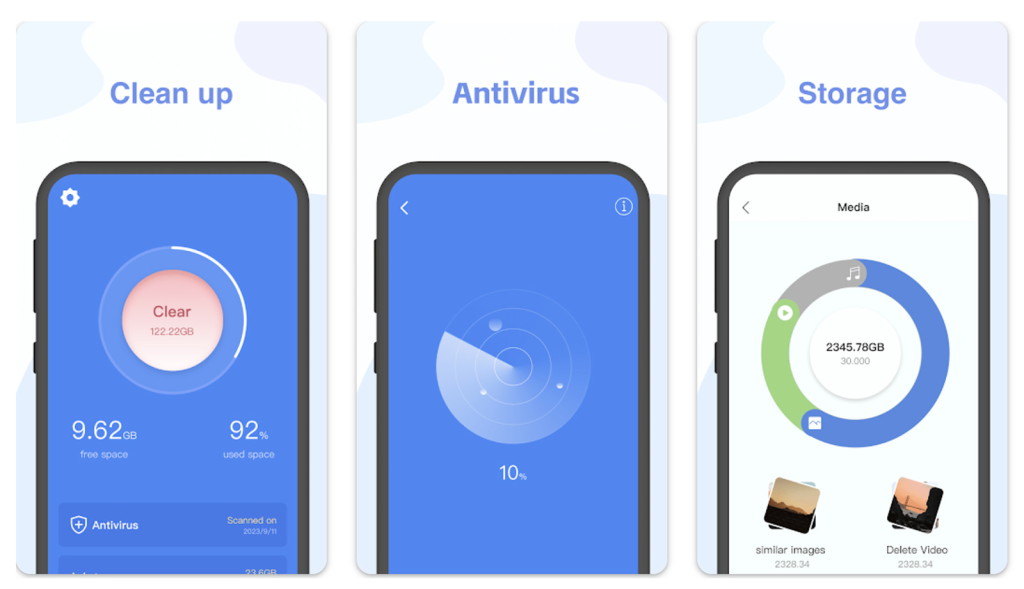
- Free space in storage. With the disk at its limit, the system becomes slow in everything. Keep at least 10% of free space.
- Fewer accounts synced. Each configured account wakes the device periodically to check for updates.

Why the RAM free-up button makes things worse here
On a phone with limited memory, the temptation to force-close everything is enormous. That's exactly where the damage is greatest. By closing all processes at once, the application also terminates the one you just used—and the device, which already has a weak processor and low battery, needs to recharge everything immediately afterward.
Furthermore, many of the closed apps restart on their own soon after, because they have legitimate synchronization services. The meter goes up again, you press the button again, and the cycle repeats, consuming energy. A frequent side effect is the delay in notifications: a messenger forced closed loses connection and only reconnects when it is opened.
Apps worth installing
For the storage portion, which is where the real gains are, the Files by Google It's the best choice for modest devices: it's lightweight, free, and locates large, duplicate, and old chat files. Google Photos It backs up the images and then removes from the phone only those that have already been confirmed backed up in the account.
If you want a more detailed scan of folders left behind by uninstalled applications, the SD Maid 2/SE Show everything before deleting. In any of them, turn off automatic scans and notifications — an app that runs all the time consumes precisely the scarce resources you're trying to save.
What does running with 2 or 3 GB of RAM mean in practice?
It's worth keeping the number in mind: on a device with that amount of memory, The operating system and factory services already consume a large portion of resources before you even open anything.. What's left for your applications is far less than the specification suggests.
Consequences that appear with daily use:
- One "heavy" application at a time. A browser with multiple tabs, a social network with video, and a messaging app open at the same time will not fit together — one of them will be downloaded.
- Switching apps recharges your phone. That two-to-five-second delay when returning is because the app is being read from storage again.
- Camera and video equipment are the most affected., Because they require a lot of memory at once. It's common for the camera to close on its own if other applications are open.
- System updates become slower. and requires more free space.
None of this is a defect or user negligence: it's the hardware's limitation, and recognizing this avoids wasting time with "optimizers" that promise to circumvent physics.
The three changes that yield the most results in this scenario.
- Fewer apps installed. In a compact device, what matters isn't the disk space each app occupies—it's how many of them have background services, synchronization, and automatic startup permissions. Cutting ten apps that you never open noticeably changes the device's responsiveness.
- Lightweight versions or browser-based use. Replacing two or three large applications with smaller versions — or with a shortcut to the website on the home screen — frees up execution memory, which is a scarce resource here.
- Restrict automatic startup. On devices that offer this control, it's the configuration with the best balance between effort and result: fewer things competing for memory from the moment the phone is turned on.
Add to that maintaining free space in storage, Because on devices with little RAM, the system uses the disk as an extension of memory — and a full disk means neither RAM nor swap space.
Where it's not worth insisting
- “"Virtual RAM" is not RAM. It's storage used as a swap area, dozens of times slower, and it consumes disk space. It helps keep more applications open; it doesn't make anything faster.
- RAM cleaner makes it worse. In a tightly packed device, the effect is more noticeable than in a loose one: you force the discharge of what the system had stored, and it needs to recharge everything.
- Reducing animation speed does not speed things up. It simply removes the visual delay. It's still worthwhile, because the feeling of responsiveness improves significantly.
- Replacing the battery does not change the memory., However, it also resolves another symptom that is often confused with slowness: a device that restarts on its own or reduces performance due to voltage drops.
- Factory restoration provides temporary relief. It returns the device to its initial state, and the slowness returns as you reinstall what you had.
There comes a point where the honest answer is: there's nothing left to adjust. At that point, the device remains excellent for light use—messaging, music, calls, alarm clock—and the money goes further in replacing it than in any attempt at optimization.
Frequently Asked Questions
Does my phone's virtual RAM function solve the problem?
It helps a little. It reserves some storage to support working memory, allowing you to keep more applications loaded. The gain is modest because storage is much slower than actual RAM, and the feature consumes disk space—which is a problem on devices that already have little internal memory.
Is it possible to add RAM to a cell phone?
No. The memory is soldered to the board during manufacturing and there is no way to expand it afterwards, neither through hardware nor software. Applications that advertise increased RAM do not do what they claim.
Does closing apps from the recent apps list save memory?
As a habit, it's not worth it. The system already frees up memory when needed, choosing better than you what can be closed. Manually closing everything only ensures that subsequent uses will be slower, because each application will have to be loaded from scratch.
Should we reduce the system's animations?
It's worthwhile, and it's one of the most noticeable adjustments on entry-level devices. In the developer options, it's possible to reduce or turn off the animation scales. The phone doesn't become more powerful, but the transitions no longer take time and the response seems immediate.
When is there nothing left to adjust?
When a device, already lean and with free space, continues to freeze during basic tasks and no longer receives security updates, then the limit is determined by the hardware and the product's life cycle, and no application will change that scenario.
Conclusion
On a phone with 2 GB or 3 GB of RAM, the solution is to reduce memory competition: fewer apps, lightweight versions, a simple home screen, and lean sync accounts. No app creates memory, and the button that promises to free it up works against you. With these adjustments, the device stops reloading everything every time the screen changes and becomes predictable again in daily use.
Read too
- Apps to clean memory: 5 options and what each one does.
- Clearing memory and speeding up your phone: what really works and what's a myth?
- Clearing your phone's memory: files you shouldn't delete
- Cleaning apps: which ones disappeared from the Play Store and what to use now.
- Clearing your phone's memory: what Android already does automatically.