Traffic radar doesn't exist to raise money: it exists because speed is the factor that most changes the outcome of a collision. A pedestrian accident at 30 km/h and another at 60 km/h are events of completely different severity, and the energy involved in an impact increases with the square of the speed. That's why the speed limit changes near schools, hospitals, and pedestrian crossings.
From that point on, the navigation app ceases to be a tool for evading traffic enforcement and becomes what it truly is: a dashboard that displays the speed limit in real time, shows your speed, and warns you when the stretch ahead requires attention. This article shows how to configure this and how each type of device measures it.
The types of equipment and how each one measures
Fixed radar
Installed on a gantry or pole, it operates 24 hours a day. It uses inductive loops in the asphalt or a laser sensor to measure speed at that point. It needs to be marked with a sign before the equipment, and that's precisely why its location is public information—allowing it to appear on maps.
Electronic speed bump
A variation of the fixed speed camera, with a panel displaying the speed of the approaching vehicle. It is usually located on urban roads, near schools, hospitals, or pedestrian crossings. The visible panel is part of the function: it exists to correct the vehicle's behavior before the measurement point.
Static radar and mobile radar
The static unit is mounted on a tripod by an officer and remains in place for a few hours. The mobile unit operates from inside a patrol car, even while in motion. Neither has a fixed location, so they don't reliably appear on any app—and an app that claims to notify you about them is promising what it can't deliver.
Average speed enforcement
Two reading points placed far apart calculate how long the vehicle took to travel the distance. Since the measurement covers the entire route, braking in front of the camera makes no difference. This model best reflects the idea of maintaining a consistent speed at all times.
Measurement tolerance, explained
Measuring equipment has a recognized margin of error, and Brazilian regulations discount this margin before considering speed for the purposes of issuing fines. The criterion used is... 7 km/h for speeds measured up to 100 km/h and of 7% for speeds above that.. Therefore, on a road with a 60 km/h speed limit, the speed considered is only exceeded when the measured speed is 68 km/h.
This is not permission to always drive on the edge of the road. It's a technical guarantee against instrument error. Driving with the edge of the road in mind means driving without any margin at all when something unexpected appears on the road.
Configure the app for safety, not for scaring.
1. Turn on the speed limit alert.
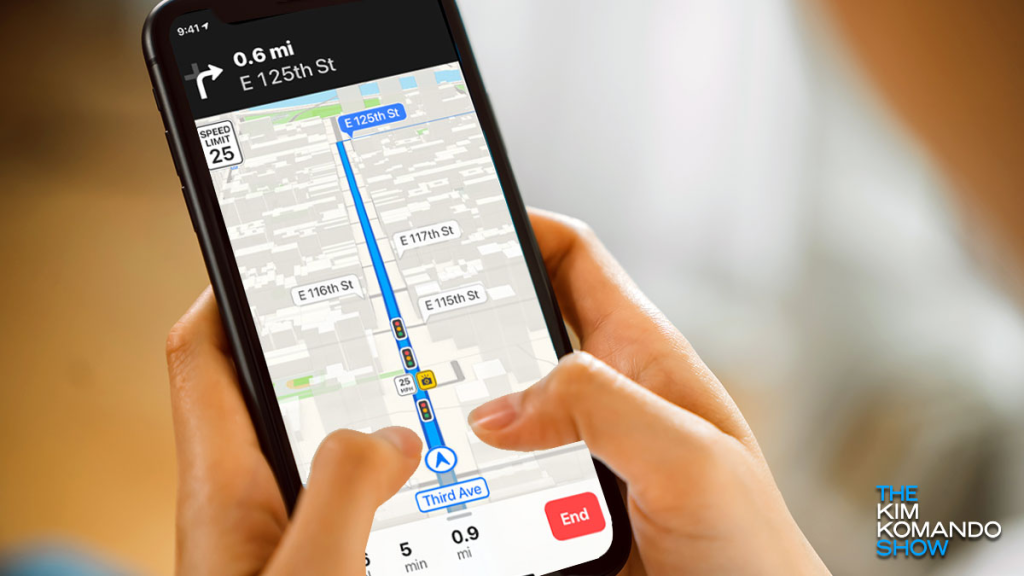
This is the most important and most ignored setting. Both Waze and Google Maps allow you to display the speed limit and warn you when you exceed it, with a configurable percentage. Leave the warning at zero or close to it: the goal is to know that you have exceeded the limit, not to know when you are about to be fined. official Waze website It provides a step-by-step guide to the settings.
2. Activate the GPS speedometer.
The speedometer on your car's dashboard usually shows a slightly higher speed than the actual speed, as required by regulations. The speedometer on the app, calculated by GPS, tends to be closer to the speed measured by the radar. Having both visible helps you understand this difference in your vehicle.
3. Make the announcements loud.
Audible alerts eliminate the need to look at the screen. Since using a cell phone while driving is a very serious offense under the Brazilian Traffic Code, and since any lapse in attention results in meters traveled blindly, audio is the only safe way to consume this information while in motion.
4. Use support and configure before leaving.
A route is set with the car stopped, phone in a dashboard holder, screen at the correct brightness, and message notifications silenced. The "do not disturb while driving" mode on Android and iPhone automates this.
5. Contribute to the base
Potholes, flooding, animals on the road, and vehicles stopped on the shoulder are warning signs that can save other people's trips. Always report them when the car is stopped, or ask a passenger to do so.
What the app doesn't do
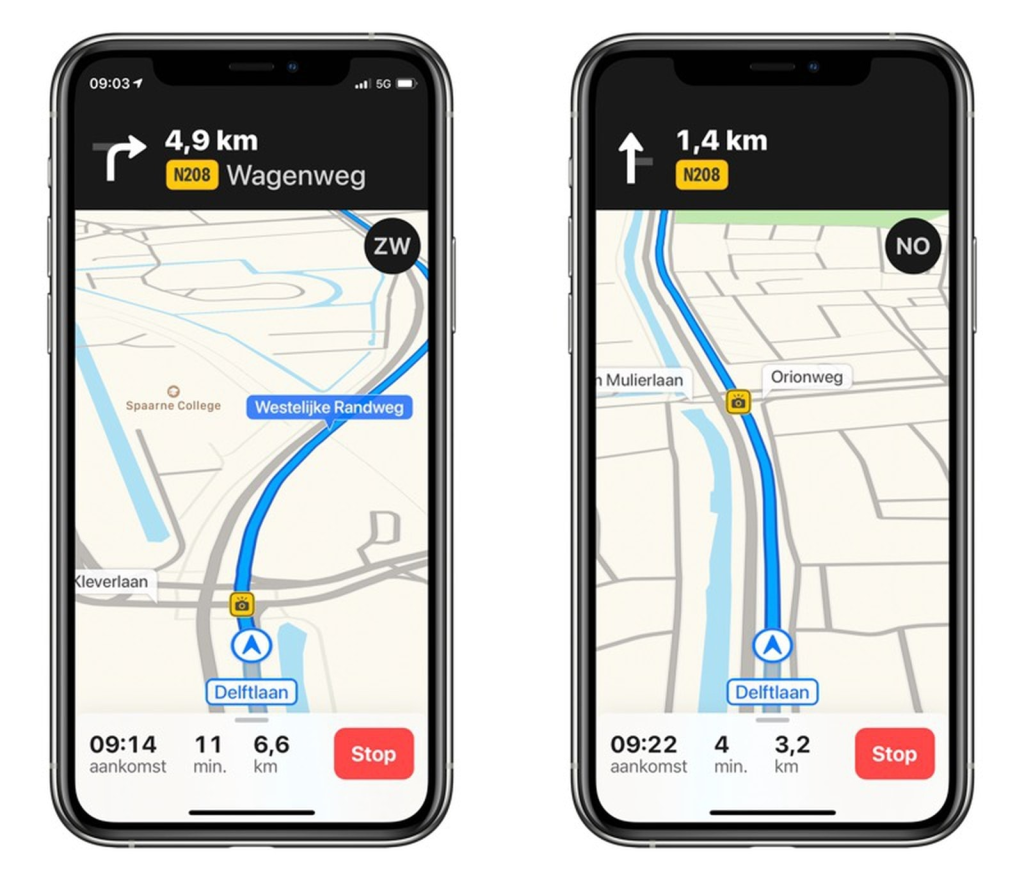
- It does not detect radar. It compares its position with a list of known coordinates.
- It does not provide any warnings about inspection operations. Traffic enforcement and drunk driving operations are public safety actions; no serious app attempts to circumvent them, and there's no reliable way to do so.
- It does not guarantee an up-to-date database. New radar systems take a long time to come online; removed radar systems take a long time to come out.
- It is not a substitute for attention. Road signs take precedence over anything that appears on the screen.
Habits that reduce fines and risk at the same time.
Most speeding tickets are issued on familiar stretches of road, the usual route, when the driver is running late. Leaving five minutes earlier eliminates a good part of the problem. On highways, maintaining sufficient following distance avoids the alternating between accelerating and braking that pushes the average speed up.
It's also worth knowing your own vehicle: tires with a different profile than the original ones alter the speedometer reading. And, on a rainy day, the indicated speed limit becomes the ceiling, not the goal — the braking distance increases considerably on wet roads.
Actual speed, car speedometer, and GPS speedometer.
The three numbers are different, and understanding this changes how you use the app.
O car speedometer It is calibrated to never indicate less than the actual speed — homologation legislation requires this safety margin. In other words, it usually registers a little more than you are actually driving. Furthermore, it calculates based on wheel rotation, so a tire with a different size than the original, worn or underinflated, alters the reading.
O GPS speedometer, The speed shown in apps is calculated based on the change in position over time. It tends to be closer to the actual speed on a constant trajectory—and therefore usually shows a lower speed than the dashboard. Its limitations include: delayed response during sudden acceleration and braking, errors in tunnels and areas with tall buildings, and inaccuracy at very low speeds.
Practical conclusion: Use the GPS reading as a reference and the dashboard reading as a guideline. If the speedometer reads slightly higher, you're protected; and if the two readings consistently diverge significantly, it's worth checking the tire pressure and size.
How to configure the warning to reduce surprise, not to hunt for speed cameras.
- Turn on the road speed limit alert., which warns you when you exceed the speed limit. in any section — not just near radar. It's the configuration that actually changes behavior.
- Leave the announcements in voice. and the volume is audible. The goal is for you not to look at the screen.
- Set the advance notice. With ample clearance. A warning sign on top of the equipment causes sudden braking, which is more dangerous than the fine.
- Turn off irrelevant alerts. For your journey. Too many warnings make you ignore everyone, including the ones that matter.
- Activate the limit change notification., which is where most people get fined — a stretch of highway where the speed limit decreases as it crosses an urban area.
Average speed enforcement: why braking at a speed camera is ineffective
It's worth explaining why it's the fastest growing and least understood format. In this format, two reading points register the passage of the vehicle and the system calculates the... average speed on the stretch Distance divided by time.
Consequences:
- Reducing the speed only at the front of the equipment doesn't change anything., Because what is measured is the entire journey.
- Driving above the speed limit and then "compensating" doesn't work either.Averages are what count.
- The only behavior that avoids a fine is driving within the speed limit for the entire stretch of road. — which is precisely the purpose of the equipment.
This is the clearest demonstration of why "escaping the radar" is the wrong framing. What reduces both fines and risk at the same time is the same thing: speed compatible with the road. And there's a practical effect that most people don't measure — the time difference between driving at the speed limit and driving above it on an urban route is only a few minutes, while the difference in braking distance is significant.
Conclusion
Navigation apps help improve driving when used to know the speed limit, monitor your speed, and receive road condition alerts. In this function, they are legitimate, useful, and permitted—unlike radar detectors, which are prohibited in Brazil.
Adjust the speed limit alert, activate the GPS speedometer, set everything to audio, and configure the route before starting the engine. Once this is done, the speed camera will no longer be an unpleasant surprise and will become what it always was: a reminder that this stretch of road requires a lower speed.
Read too
- Speed Cameras on Cell Phones: What is Allowed and What is Prohibited in Brazil
- Christian Chat: The Best Apps and How to Use Them Safely
- Meeting People Through Apps: How They Work and How to Use Them Safely
- Looking Up a Vehicle's License Plate: What You Can and Can't See
- App for Weighing Cattle: Real Advantages and Myths of the Field
- Livestock Weighing App: Step-by-Step Installation and Use Guide