Who is looking for a list of today? best apps to clean your phone's memory You'll find old reviews recommending apps that are no longer on the Play Store. This is no coincidence: it's one of the categories with the highest turnover rate in the store, and the reason for the removals says a lot about what to look for—and avoid—in a cleaner app.
This guide explains why some of the most popular apps in the genre have disappeared, what to put in their place, and how to recognize an app today that is likely to suffer the same fate.
The most well-known case: Clean Master.
It was one of the most downloaded apps in Android history and still appears on outdated lists today. It is no longer available on the Play Store.The app's page simply doesn't exist. Its removal came along with that of other programs from the same developer, in an episode linked to abusive advertising practices—ads displayed outside the app, at times when the user wasn't even using the program.
This fact is more useful to the reader than any recommendation: it shows that the business model for a large part of the category is advertising, and that "cleaning" is the pretext for keeping the app installed and active. If you still have this app on your phone, it hasn't been updated in years and should be uninstalled.
Why do apps in this category disappear from the store?
- Advertisement taken out of context. Displaying ads on the phone's home screen, or on top of other apps, violates the platform's rules.
- Disproportionate permissions. Requesting access to contacts, location, or accessibility services unrelated to the advertised job.
- False alarms. Notifications stating that the device is in a "critical state" in order to bring the user back and show more advertising.
- Abandonment. The developer stops updating, the app no longer meets the store's technical requirements, and it is removed.
- Functions that don't exist. Promising increased memory, percentage performance gains, or features that the system does not allow.
What to wear today
Files by Google — the most straightforward replacement for those who want simplicity. Free, lightweight, published by Google, and ad-free. Suggests large files, duplicates, old screenshots, and media received in conversations.
SD Maid 2/SE — For those who want to see exactly what will be deleted. Locates folders left behind by uninstalled applications and displays the list before taking action. A previous version It's still available and it's lighter.
CCleaner Detailed storage reports and app usage listings. Free version with ads.
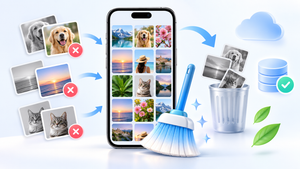
AVG Cleaner — good at analyzing similar, low-quality photos; useful for those who take multiple pictures of the same scene. Avast Cleanup It performs a similar function, focusing on suspending applications that run in the background.
How to evaluate a cleaner before installing it.
Check who published it and look for other apps from the same developer. Read the permission list: access to files is justifiable; location, contacts and... accessibility service They are not. This last one deserves special attention because it allows the app to read everything that appears on the screen and simulate touches in your place—a feature created for accessibility and exploited by banking scams. No storage cleanup needs it.
Also be wary of performance promises expressed as a percentage and alarmist language in the description. And remember that an app running constantly in the background consumes exactly the resources it claims to save.
How to replace an old wiper with a new one.
Before uninstalling the old app, revoke its permissions. Go to Settings > Applications, Open his file and remove his file access, and check in Settings > Accessibility If it appears in the list of active services — if it does, turn it off there first. Only then uninstall it.
After removing it, delete the folder it left in the shared storage area, if any, and check if any notifications or shortcuts remain on the screen. Finally, install the new tool and configure it not to perform automatic scans or send alerts: this way it works when you open it and doesn't consume resources the rest of the time.
The feature that is not valid in any of them.
All the apps mentioned here display, at some point, a RAM meter with a "free up" button. On the current Android system, it doesn't deliver on its promises. The system keeps recently used apps loaded because idle memory doesn't speed things up, and it automatically closes old processes when it needs space. Forcing closure causes the device to reload everything afterward, resulting in extra battery consumption and delayed notifications. The value of these tools lies in their file management capabilities.
What happens to an already installed app when it is removed from the store?
This is the most common practical question, and the answer surprises many people: Removing it from the store doesn't uninstall anything.. The app remains on your device, functioning with the same permissions — and now without receiving updates.
This creates a situation worse than the original one:
- No security patch Get closer to that package.
- The permits granted remain valid., including broad access to files.
- If it was already running a service in the background, It keeps spinning.
- The system check may flag it later., when the analysis identifies the practice that motivated the removal.
In other words: if an app you use has disappeared from the store's search results, that's a reason to uninstall it—not to look for the installer elsewhere.
How to check if an app is still available in the store.
- Search by exact name in the store. If it doesn't show up, that's the first sign.
- Open the file using the installed application., In the details option — if it leads to a non-existent page, he has exited.
- Tap on the developer's name. And see if his other products are still published. An entire developer being removed is a strong sign.
- Check the system security verification., In the Play Protect area, enable the analysis of apps installed outside of the store.
- Be wary of "alternative versions".“ This is precisely the opportunity someone takes to distribute a pirated version of the app you trusted, as it was shared on a website or group.
How to change your windshield wiper without losing anything
There is no personal data stored within a cleaning app—what it keeps are preferences and scanning history. Switching is simple, but it's important to do it in the right order:
- Revoke permissions From the old settings before uninstalling: file access, accessibility, device administrator, and screen overlay.
- Cancel your subscription., If there is one in your store account — uninstalling does not cancel recurring charges.
- Uninstall and restart the device.
- Check if there's any work left over. in the list of running applications and in persistent notifications.
- Install the new Or, better yet, test beforehand whether the system's native tool already solves your problem. Most of the time it does.
- If you install it, use it and then uninstall it. Keeping a cleaner running in the background consumes battery power and notifications for a task that is only needed once.
The signal that immediately dismisses an app of this category.
- Request accessibility services. No cleaner needs to read your screen.
- Requests device administrator., which makes uninstallation itself difficult.
- Shows the number of "problems" before the scan., or right after you've cleaned.
- Displays an alert that mimics the system., with similar colors and icons.
- Send urgent notification — “critical memory” — to bring you back and display an ad.
- Promises the impossible.: increase RAM, expand internal memory, speed up the processor, "clear system registries".
Any one of these is enough. Two or more together, and the real product isn't cleaning — it's just advertising.
Frequently Asked Questions
I still have a cleaning app that's been removed from the store. Do I need to uninstall it?
Yes, that's the most prudent course of action. An app removed from the store no longer receives updates, meaning that security flaws discovered later will not be fixed. Add to that the reason for the removal, which is usually precisely the abusive behavior of the program.
Can I install an app from outside the app store that's no longer on the Play Store?
It is not recommended. Installation files obtained outside the official store are the main way malicious programs enter Android, and there is no way to confirm that the file is the original. If the application has been removed, there is an alternative available that performs the same function.
How can I check if an app is still available?
Search for the name within the Play Store itself. If it doesn't appear, or if it only appears in results from third-party websites, it means it has been removed from the store in your region. It's also worth checking the date of the last update in the listing: programs that have been inactive for years are usually abandoned.
Does the number of downloads guarantee quality?
No. Several of the removed apps had hundreds of millions of installations. Popularity indicates marketing reach, not ethical behavior. The permissions requested and the developer's identity say more.
Do I really need a cleaning app?
It's not mandatory. The Android storage screen, WhatsApp's built-in manager, and Google Photos' space freeing function resolve most cases without installing anything. The external tool adds value in two tasks: locating duplicates and identifying folders of already removed applications.
Conclusion
If a list recommends an app that's no longer available in the store, it was written before the situation changed. The category has been updated because the rules have tightened, and that's good for users. Stick with tools from known sources, evaluate permissions before installing, and focus your efforts on storage—that's where cleanup truly delivers measurable results.
Read too
- Apps to clean memory: 5 options and what each one does.
- Clearing memory and speeding up your phone: what really works and what's a myth?
- Clearing your phone's memory: files you shouldn't delete
- Clearing your phone's memory: what Android already does automatically.
- Optimize memory: why clearing RAM doesn't speed up your phone.
- Clear your phone's memory without losing your WhatsApp conversations.