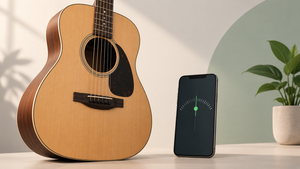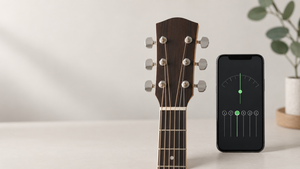
A guitar tuner app is one of the few cases where the promise is completely honest. The phone's microphone picks up the sound of the string, the app measures the frequency and compares it to the reference note. It's the same principle as a pedal or clip-on tuner, made by software — and it works well.
This guide brings together the five most reputable free tuners in... Play Store, All of them were checked in-store before publication, and it explains what changes between them. It also brings up the real limitations of microphone tuning, which exist and are rarely mentioned.
How does the app tune the guitar?
You pluck an open string; the microphone picks up the sound wave; the app calculates the fundamental frequency and shows whether it is above or below the target note. The standard guitar tuning is E–A–D–G–B–E, from the sixth string to the first, with the reference A at 440 Hz.
It's good to know where the limits are. In noisy environments, reading becomes unstable—a television on, a fan, or nearby conversation interferes. A very old or oxidized string produces a sound with irregular harmonics and confuses any tuner, whether app or device. And the cell phone microphone has a worse response in the lower frequencies, so the sixth string is usually the most difficult to stabilize.
None of this prevents its use, but it explains why sometimes the pointer doesn't stay still: it's usually the environment or the cord, not the app.
The best free tuners
1. GuitarTuna
It's the world's most popular tuner and also the highest-rated on this list: a 4.9 rating with over 2.6 million reviews on the Play Store. The interface is clear, the response is fast, and it automatically recognizes which string is being played.
In addition to the acoustic guitar, it tunes electric guitar, bass, ukulele, cavaquinho (a small Brazilian stringed instrument), and other stringed instruments, and offers alternative tunings such as drop D and open tuning. It has a built-in metronome and chord library. View on the Play Store.
2. Fender Tune
Developed by Fender itself, it has a 4.8 rating with around 70,000 reviews. It's free, tunes guitar, bass and ukulele, and includes a chromatic tuner and metronome.
The advantage is the stable playback and clean interface, without excessive features. A good choice for those who just want to fine-tune their music and get back to playing. View on the Play Store.
3. BOSS Tuner
Made by Roland, it brings the same logic of the brand's pedal tuners to mobile phones. It has a 4.8 rating based on approximately 9,000 reviews. It's chromatic, meaning it can tune any note—not just the six standard strings.
It is best suited for those who use alternative tunings or need to tune other instruments. The reading is accurate and the display mimics that of a pedal, which will please those already accustomed to the format. View on the Play Store.
4. Tuner Cloth
Minimalist chromatic tuner, rated 4.6 and with approximately 41,000 reviews. Suitable for guitar, string instruments in general, wind instruments, piano, and even vocals.
The key difference is the ability to change the reference frequency — useful for playing along with an instrument tuned to 432 Hz or with a group that uses a different standard. View on the Play Store.
5. DaTuner
Rated 4.7 and with over 450,000 reviews. It's a fast and lightweight chromatic tuner that also works with violin, ukulele, and other stringed instruments.
The numerical display in cents is appealing to those who want fine precision, and battery consumption is low. View on the Play Store.
How to tune properly, step by step.
- Find a quiet place and prop your phone near the soundhole of the guitar, without touching it.
- Start with the sixth string (the thickest one, low E) and continue to the first
- Play the open string once, with medium force, and let it ring — don't keep repeating it.
- Adjust the tuning peg slowly; if it's too tight, raise it until it passes slightly and then return it to allow the thread to settle.
- After tuning all six strings, repeat the process: adjusting one string changes the tension on the neck and throws the others out of tune.
If a string doesn't hold its tuning after two turns, the problem is usually something else: an old string, a loose tuning peg, or a poorly wound string on the axle. In this case, no app will solve it—you'll need to replace the string or take the instrument in for a setup.
Extra features that appear in these apps
GuitarTuna and Fender Tune have a built-in metronome, which helps keep time while practicing. BOSS Tuner, Pano Tuner, and DaTuner have a chromatic mode, indispensable for alternative tunings. Some also offer a library of chords and exercises—some of which are available through a paid plan.
It's worth noting: all five tuners are free. What's included in the subscription, if there is one, are extra courses and content, never the tuning function itself.
Common questions about tuning via mobile phone
Does the app tune as well as a clip-on tuner?
In a quiet environment, the difference is small and irrelevant for playing at home. The clip-on tuner has an advantage in noisy places because it picks up the vibration of the instrument instead of the sound of the air. For band rehearsals or live performances, the clip-on is still the better choice.
Does it work with an electric guitar or a bass guitar?
It works, provided the instrument produces enough acoustic sound for the microphone to pick up. A solid-body guitar without an amplifier sounds too low in noisy environments; in that case, move your phone closer to the body of the instrument or use chromatic mode with the amplifier turned on at a low volume.
Do I need to pay to have it tuned?
No. The five apps on this list offer tuning for free. Subscriptions, when available, unlock courses, exercises, and extra content—never the tuning itself.
Why can the microphone tune but not do other things?
It's worth understanding, because it's one of the rare cases where the app's promise is honest — and knowing why helps to recognize promises that aren't.
Tuning is measure frequency. A vibrating string produces a regularly repeating wave, and the cell phone microphone—which was designed to capture voice, precisely in the frequency range where the guitar plays—records this repetition with ample time. The app counts how many cycles per second arrive and compares it to the reference frequency of the note. It's arithmetic on a simple signal.
Compare this to what the same microphone... no It does this: capturing a fetal heartbeat, which requires megahertz ultrasound; measuring blood pressure, which depends on occluding the artery; or identifying mechanical engine problems remotely. The difference isn't in the software—it's whether the signal exists within the range that the sensor can reach.
There's a technical detail that explains the flaws you notice in practice: the string doesn't produce just one frequency, but rather a... fundamental plus a series of harmonics. On the lower strings, the harmonic can sound louder than the fundamental—which is why the tuner sometimes "jumps" to a note an octave higher on the sixth string. This isn't a defect; it's the algorithm choosing the wrong peak.
The order that avoids tuning twice
A guitar is a system under tension: moving one string changes the tension on the neck and throws the neighboring strings out of tune. That's why the order matters:
- Start with the sixth string. (the thickest one) and continue until the first one.
- Always press towards the note., Going up. If it goes past the mark, release it well below and go back up — a tuned rope "going down" slips and falls on its own in minutes.
- Play the open string with medium force., in the middle of the neck. A touch that's too strong pushes the pitch upwards on the attack.
- Make a second complete pass. After adjusting the six, the first ones have already moved — this is normal and it's worth repeating.
- On a new string, wait and repeat. A new string stretches for days and goes out of tune significantly within the first few hours of use.
- Check the 12th fret. If the open string is in tune but the note on the 12th is too high or too low, the problem is not the tuning—it's the instrument's setup.
What hinders reading, and how to solve it.
- Background noise. Television, fan, and conversation compete with the rope. A quiet environment resolves most of the unstable readings.
- Wrong distance. Too far away, the signal is weak; too close to the soundhole, the excessive bass confuses the algorithm. A hand's width from the soundboard works well.
- A cover protecting the microphone., or a finger on top of it. It's the silliest and most frequent cause.
- Old and rusty rope It produces sound with irregular harmonics and unstable tuning. No app can compensate for worn strings.
- Instrument with loose tuning peg, which releases the tension on its own after being tuned.
The limitations: what the tuner can't solve
- It doesn't regulate the instrument. String height, neck curvature, and bridge position are physical adjustments—and they are the reason why a guitar sounds out of tune. despite to be in tune.
- It is not a substitute for a clip-on tuner on stage. The clip-on type reads the vibration through the wood and ignores ambient noise; the cell phone type relies on the microphone.
- It doesn't teach you how to play. Many of these apps come with built-in lessons, and that's where the subscription comes in — it's worth checking if you're paying for tuning, which is free in all of them.
- You can't fix a rope at the end of its life. A string that won't hold its tuning for a song needs to be replaced.
Conclusion
For most people, GuitarTuna does the job: it's accurate, free, and recognizes the string automatically. Fender Tune is the simplest alternative; BOSS Tuner, Pano Tuner, and DaTuner are better suited for those who need a chromatic mode or a reference frequency other than 440 Hz.
Install one of these, find a quiet place, and tune it in order from the sixth to the first string, repeating the process at the end. It's quick, it really works, and it costs nothing.
Read too
- Free AI Translation Apps: The Best and Their Common Mistakes
- Christian Chat: The Best Apps and How to Use Them Safely
- Free Shipping Coupon: The Rules That Actually Enable Delivery
- Watch Movies Online for Free: How Much Internet Data Does Each Hour Spend?
- Apps for Watching Movies for Free: What the Free Tier Offers
- App for Weighing Cattle: Real Advantages and Myths of the Field