Before choosing one application to eliminate viruses from the cell phone, It's worth understanding where the problems actually originate—because the answer changes depending on the system. On Android, the source is almost always an installation done outside the official store or a permission granted to the wrong application. On iPhone, the scenario is so different that Antivirus software, in the traditional sense, doesn't even exist. at the Apple store.
This guide compares the two systems, shows what each one actually protects against, and explains what is being sold as antivirus software when the system prevents it from functioning.
Android: Where are the entry points?
Each Android application runs in isolation from the others, so there is no contamination from one program to another as happened on computers. What does exist are malicious applications that the user installs and authorizes. The two dominant routes are these:
Installation files obtained outside of the store. "Modified" versions of popular apps, programs that promise paid features for free, and files received via chat. These don't go through the store's review process and cannot be verified by the average user.
Accessibility permission granted to suspicious application. Created for screen readers and inclusion features, this service allows you to read everything displayed on the screen and simulate touches. It's the mechanism behind banking scams on Android. No common game, cleaner, or utility needs it. To review, go to Settings > Accessibility and turn off anything you don't recognize.
What already protects Android at no cost.
Google Play Protect comes active on most devices. It scans apps before installation, periodically checks apps already on the phone—including those installed outside the store—and alerts you to suspicious behavior. You can check and run a manual scan through the Play Store by tapping on the profile picture and going to Play Protect.
In addition to that, three habits cover almost all the risk: installing only from the official store, keeping the system updated, and reading the permissions before granting them.
iPhone: Why there's no such thing as real antivirus.
Apple's system isolates applications more strictly: one program cannot read the files or observe the processes of another. This technically prevents the scanning that characterizes an antivirus program. It's not a matter of no company having developed the tool—it's the system that doesn't allow it.
What you find in the Apple store labeled "security" is often something else entirely: VPNs, ad and tracker blockers, password managers, data leak checkers, or spam filters. These are legitimate and sometimes useful tools, but they don't remove malicious programs because they can't detect them.
Protection on your iPhone comes from elsewhere: installing only from the official store, keeping the system updated, being wary of configuration profiles requested by websites, and not granting access to services you don't recognize.
When is a security app worth buying on Android?
This makes sense for those who install programs outside of the store, for corporate use with compliance requirements, and for those who want additional features. Options available and maintained by identifiable companies include... Avast One, AVG Antivirus, Bitdefender Mobile Security, Norton 360 It is McAfee Security.
It's important to know that the availability of these apps changes over time: well-known brands have stopped being distributed in the store due to regulatory or commercial decisions. Before installing any app, confirm that it is indeed on the Play Store and check the date of its last update.
Which none of them do
Remove a program that has already gained elevated privileges on the system. When this happens, the reliable way forward is to back up your files and perform a factory reset, followed by changing your password from another device. Be wary of any application that promises "guaranteed removal" with one tap, and especially any that displays an infection alert before even examining the device.
How the iPhone prevents the problem through its architecture.
The reason why there is no real antivirus in the Apple store is technical, and it's worth understanding: An app on iOS cannot examine other apps or the system. Each one runs in an isolated box and only accesses its own area. An "antivirus" there would have nothing to analyze, because the permission to analyze itself does not exist.
What the platform does instead:
- Review before publication — Every app goes through review before being added to the store.
- Code signature required The system refuses to execute code that is not signed by an identified developer.
- Strict isolation, without access to the general file system.
- Centralized update, which reaches older devices for much longer than the average Android version.
Consequence: what is sold as "antivirus for iPhone" is, in practice, a package of other things — private network, ad blocker, password vault, data breach alert. It may be useful; it's just not an antivirus, and that's not what the advertising claims.
Where the iPhone is really attacked
Because the system is closed, the attack changes target: instead of the device, it goes after the... person and account.
- Fake login page mimicking the manufacturer's account, arriving via message or email. It is by far the most common vector.
- Message indicating "device found"“ After a theft, they ask you to access a website to locate it. It's a scam to capture your password and unlock the stolen device.
- Request to install a configuration profile. This is the only way something can be installed outside of the store, and no legitimate website asks this of a regular user.
- Unwanted subscription within an app with a free trial and automatic renewal.
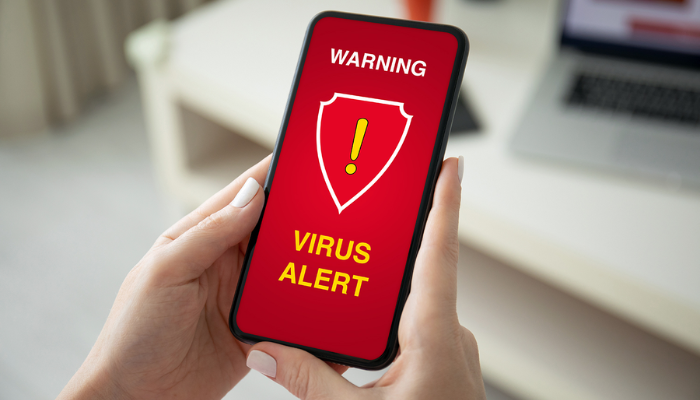
- Fake browser warning, This is an announcement, not a diagnosis.
Against all of this, what protects us is the Two-step verification on the main account And the habit of never typing a password on a page opened from a received link. No installed application does this work for you.
What to do if something has already been installed on Android.
- Review the active accessibility services. It's the first place, and the most important one.
- Check the device administrators. and revoke anything you don't recognize — otherwise, the app will refuse to be uninstalled.
- Enter safe mode. to confirm that the problem is with the installed application.
- Uninstall from back to front., starting with what was installed most recently.
- Turn off the permission to install unknown applications. in all apps that have it.
- Change the passwords on another device. and end active sessions — the compromised device is not the place to do that.
- If nothing else works, try a factory reset and backup. It's the only way to restore the device to a clean state, and with encryption by default, the cleaning process is effective.
Frequently Asked Questions
Is installing apps from outside the app store always dangerous?
Not always, but the risk is high for the average user because there's no way to confirm if the file is the original or an altered copy. Alternative stores from well-known developers exist and are used legitimately; individual files received via chat or downloaded from download sites are the most frequent source of problems.
My iPhone froze and a virus warning appeared. What happened?
It was just a webpage displaying an alarmist advertisement, and nothing more. No website can examine the device. Close the tab, clear your browser history, and don't click on any buttons within the page.
Does VPN protect against malicious programs?
No. A VPN protects network traffic, which is useful on public networks, and some services include blocking known dangerous domains. It does not scan installed applications or prevent the installation of malicious software.
How do I know if an app has requested accessibility without me realizing it?
Go to Settings > Accessibility and read the list of installed services. Everything that is active there has permission to read the screen and simulate touches. It's one of the first places to check if you suspect anything.
Paid antivirus offers more protection than free antivirus software?
Detection is usually the same; the subscription unlocks additional features such as VPN, leak monitoring, and support. Consider whether you need these extras, because Android's core protection still comes from Play Protect and your installation habits.
Conclusion
On Android, effective protection is achieved through an active Play Protect app, installing only from the official store, keeping the system updated, and firmly refusing accessibility requests. On iPhone, traditional antivirus software doesn't exist, and what's sold under that name serves a different purpose. In both cases, the decision that protects you most remains yours: what you install and what you authorize.
Read too
- Viruses on your phone: what Play Protect automatically blocks
- Clearing your phone's memory: what Android already does automatically.
- Recovering Videos from Your Cell Phone: Where to Look Before Installing Anything
- Digital Tape Measure on Your Cell Phone: How to Measure Better and Where It Falls Short.
- Offline Games on Mobile: The Best to Play Without Internet